Okay. Here is what you need to do.
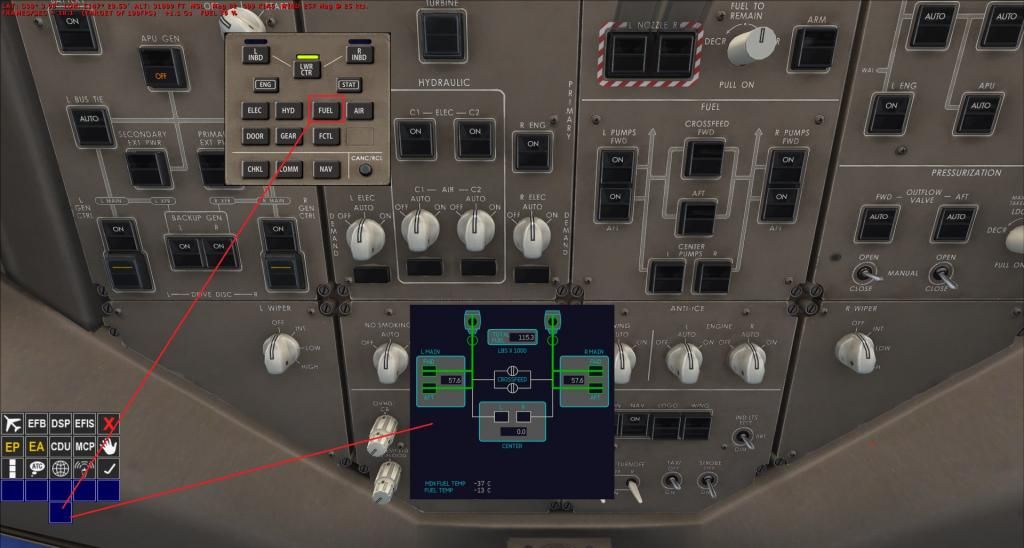 Pic #1
Open the DSP (Shift+4) and click on the FUEL button. This will display the fuel in the currently selected ND. In Pic #1 above, I have chosen the Lower Center Display.
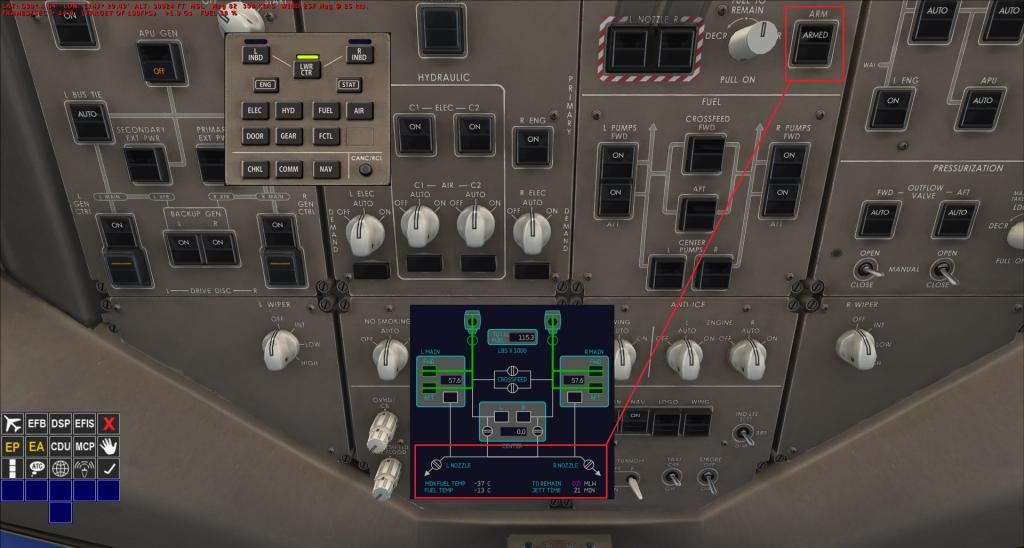 Pic #2
Click on the
Fuel Jettison ARM Switch, so ARM appears on it. In Pic #2 above, you can see that the Fuel Jettison indicators are now showing in the FUEL Display.
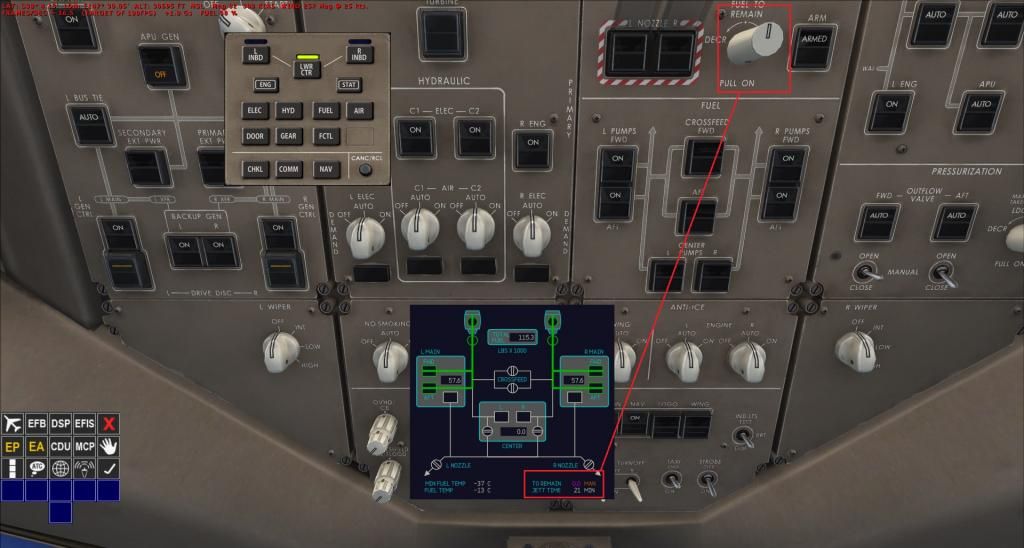 Pic #3
Now you have to MIDDLE Mouse Button click on the
Fuel To Remain Selector (knob). The FUEL Display now shows the Fuel Jettison information.
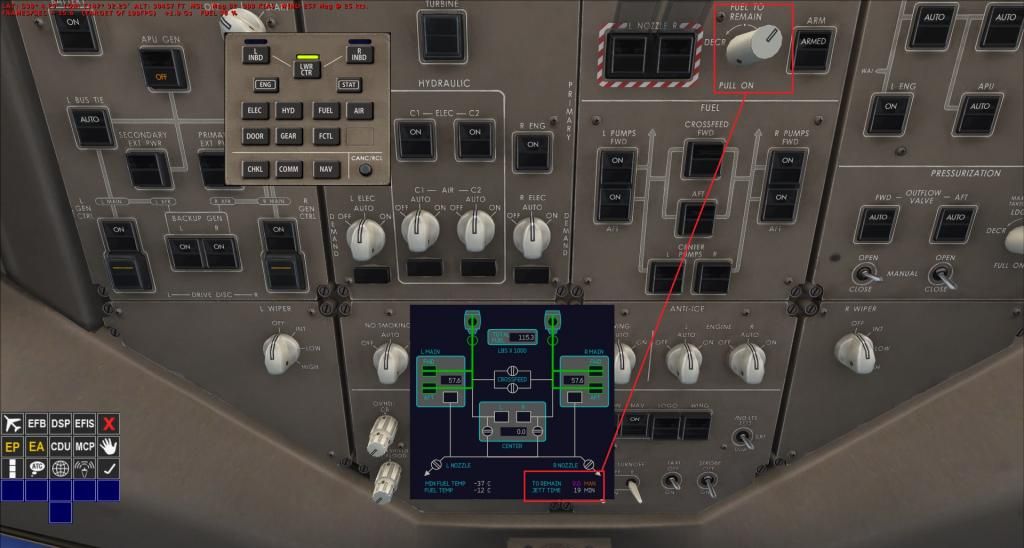 Pic #4
RIGHT Mouse Button click on the
Fuel To Remain Selector to increase the amount of fuel to remain. It starts of at 0.0 to remain, and if you don't increase it,
ALL your fuel will be jettisoned! In Pic #4 above, I have chosen 60.3 (60,300 pounds) to remain.
I tried to stop it on 60.0, but it was too hard to achieve. Once you have set it to the amount of fuel you want to remain, LEFT Mouse Button click on the
Fuel To Remain Selector until it is centered!
Do not Middle Mouse Button click on the Fuel To Remain Selector because it WILL return it to 0.0! So leave it alone until the fuel jettison process is finished.
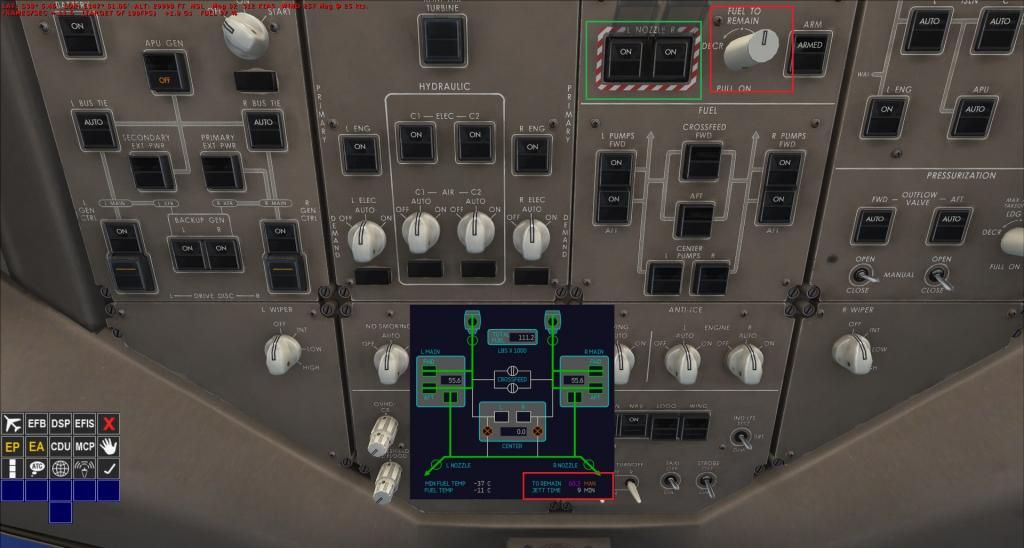
Now press the 2
Fuel Jettison Nozzle Switches ON. The Fuel jettison will start. It will automatically switch OFF once the amount of fuel that you have selected, in the previous step, which in my case was 60.3.
It really is quite simple to do.
Sorry about my previous post, where I said I had written about it before. I written about messing with it, but I had not explained how I had done it.



 Pages: 1
 fuel dump (Read 9416 times)


