CAPTAIN SIM FORUM
MSFS2020 >> 717 Captain >> Autoflight system will not follow FD
https://www.captainsim.org/forum/csf.pl?num=1733796544

Message started by cessna_xls on Dec 10th, 2024 at 2:09am

Title: Autoflight system will not follow FD
Post by cessna_xls on Dec 10th, 2024 at 2:09am
Hi,

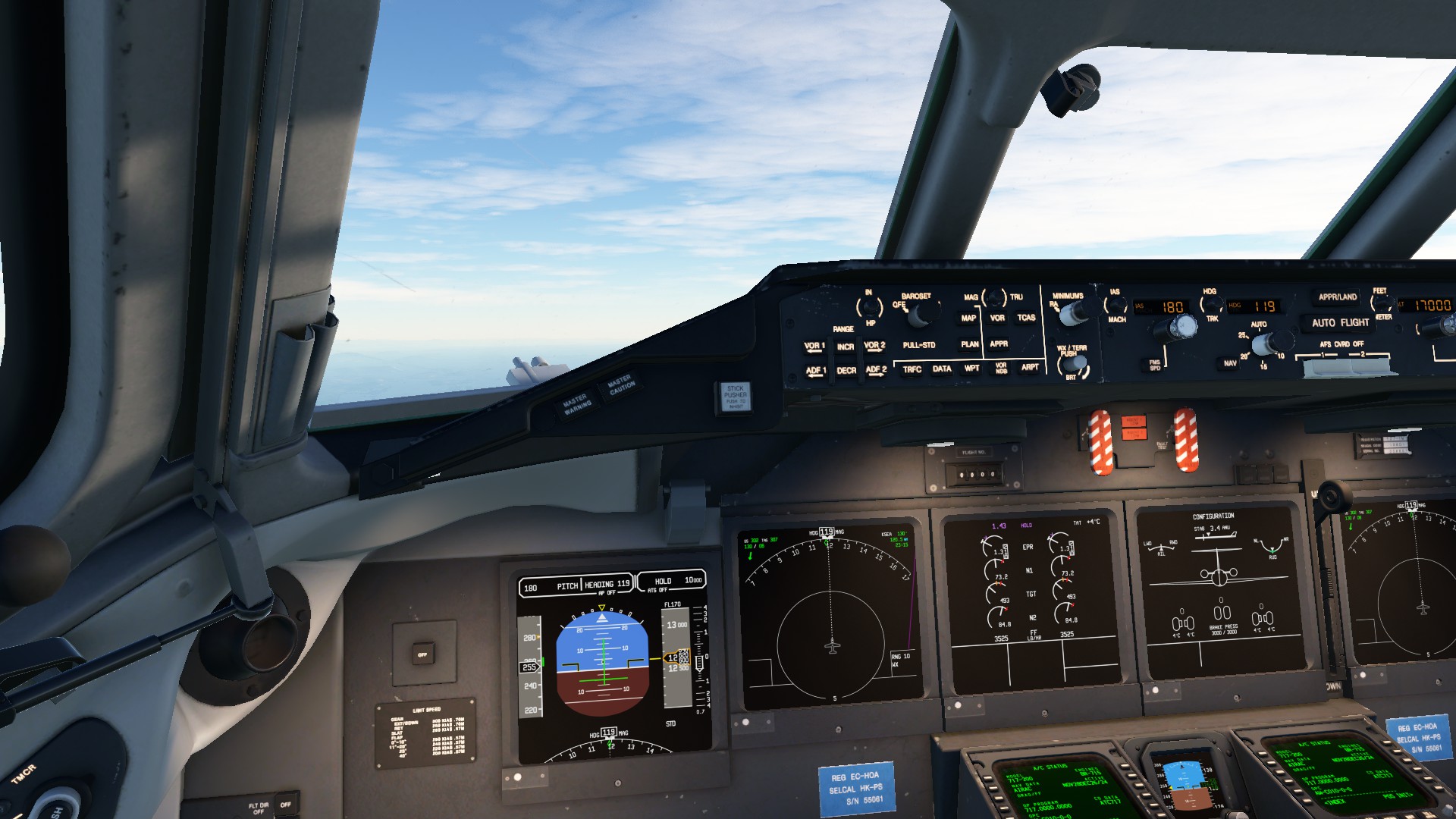
My issue must be an anomaly. No one else seems to be having this issue. I followed the manual to a T on how to start up, preflight, and take off in the CS 717-200. I stand the throttles up, they capture T/O Thrust, I click the AUTO FLIGHT button once to engage the autothrust system and the T/O CLAMP becomes unboxed and says T/O THRUST. I takeoff normally, and when I engage AUTO FLIGHT, to turn on the AFS, the AFS turns on, and jerks the airplane initially in the right direction, but after that, does not do anything. It is as if it turns on initially, but immediately turns off. I decided to take a shot in the dark, and left the plane pointed in the right direction to capture the current leg, albeit level, with NAV mode armed and HDG selected, and it was climbing out *close* to the correct speed. I came back to it less than 5 mins later and I was in the following unusual attitude shown in the image... All the while, AFS was engaged and nothing was showing boxed. I was able to control the plane and it disconnected the AFS, which makes sense. But why is the AFS not flying the airplane on its own?

Thanks for your input. I hope I can get this resolved, I bought this plane a long time ago but have never been able to fly it because of this issue.
Screenshot__677_.png ( 872 KB | 234 Downloads )
Title: Re: Autoflight system will not follow FD
Post by cessna_xls on Dec 10th, 2024 at 2:10am
EDIT: The version of this rendition is supposedly the latest, v.1.1.1.5

Title: Re: Autoflight system will not follow FD
Post by EY on Dec 12th, 2024 at 11:16am
Hello,
Thank you for your report.
Have you tried disconnecting the A/P and reconnecting it?

Title: Re: Autoflight system will not follow FD
Post by oldpond on Dec 19th, 2024 at 11:41am
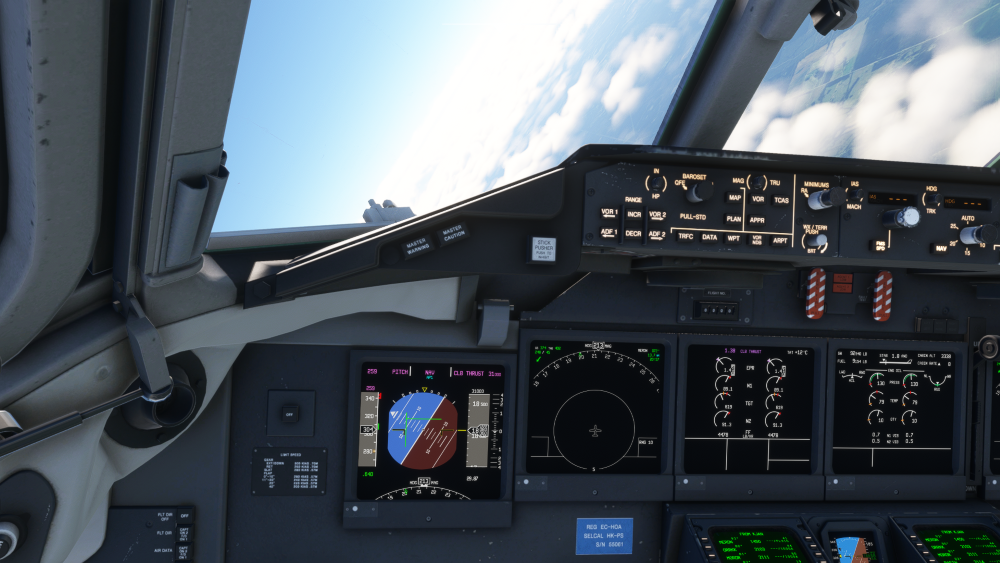
This may be related, but forgive me if I am mistaken.  I notice the flight models get themselves into a state where the aircraft thinks it's losing altitude, but the airspeed is increasing.  This is after some time I'm setup for a steady climb.  It had me hunting for the pitot heat.  I see this in the KC's as well.
20241219033709_1.jpg ( 334 KB | 217 Downloads )

Title: Re: Autoflight system will not follow FD
Post by oldpond on Dec 19th, 2024 at 11:46am
I should add that I was climbing nicely, when I got distracted trying to figure out the escape hatch (wonderful stuff!).  When I looked back, my airspeed and dribbled away to just above stall, and I was dropping.  I hope this helps.

Title: Re: Autoflight system will not follow FD
Post by oldpond on Dec 19th, 2024 at 11:52am
One more thing to add, when I switched to external view, the plane looked to be in straight and level flight.  It does not appear to be losing altitude when the instruments are reading a drop.

Title: Re: Autoflight system will not follow FD
Post by oldpond on Dec 20th, 2024 at 8:31pm
Sorry, ignore me.  Pilot error.  8-)  Beautiful flight today in 2024!  Oh yeah!

Title: Re: Autoflight system will not follow FD
Post by nestoche on Dec 23rd, 2024 at 9:58pm

oldpond wrote on Dec 20th, 2024 at 8:31pm:
Sorry, ignore me.  Pilot error.  8-)  Beautiful flight today in 2024!  Oh yeah!


So the plane works in MSFS2024?  If it does, tell us how you got it to work.

Title: Re: Autoflight system will not follow FD
Post by EY on Dec 24th, 2024 at 8:44am

oldpond wrote on Dec 20th, 2024 at 8:31pm:
Sorry, ignore me.  Pilot error.  8-)  Beautiful flight today in 2024!  Oh yeah!


Thanks!

Title: Re: Autoflight system will not follow FD
Post by EY on Dec 24th, 2024 at 8:46am

nestoche wrote on Dec 23rd, 2024 at 9:58pm:

So the plane works in MSFS2024?  If it does, tell us how you got it to work.


Yes, we are working on a 2024 update as well as a highly detailed passenger cabin.

Title: Re: Autoflight system will not follow FD
Post by nestoche on Dec 24th, 2024 at 3:53pm

EY wrote on Dec 24th, 2024 at 8:46am:

nestoche wrote on Dec 23rd, 2024 at 9:58pm:

So the plane works in MSFS2024?  If it does, tell us how you got it to work.


Yes, we are working on a 2024 update as well as a highly detailed passenger cabin.


That's great!...Thanks for the reply!, much appreciate it.

Title: Re: Autoflight system will not follow FD
Post by Luca Jones on Jan 14th, 2025 at 4:11am
Hey all,
I have been experiencing a similar issue where nether selecting HDG or Nav mode seem to cause the autopilot to do anything other then bank right and eventually the aircraft spirals into the ground. What ended up being the pilot error for you?
I have tried reinstalling and updating, checking the flight director, turning auto flight on and off but the autopilot still seems to be unusable.
If you need any more details let me know.
Thanks a lot :)
-Luca

Title: Re: Autoflight system will not follow FD
Post by EY on Jan 14th, 2025 at 5:40pm
Yes, if you know how to reproduce this bug - please let us know

Title: Re: Autoflight system will not follow FD
Post by Luca Jones on Jan 21st, 2025 at 1:24am
Sure, what kind of details do you need?
It has never worked properly so I can't say there is one particular thing that seems to cause it.

Title: Re: Autoflight system will not follow FD
Post by EY on Jan 22nd, 2025 at 8:58pm

Luca Jones wrote on Jan 21st, 2025 at 1:24am:
Sure, what kind of details do you need?
It has never worked properly so I can't say there is one particular thing that seems to cause it.


What version do you have? CS Store, Marketplace PC or Xbox?

Title: Re: Autoflight system will not follow FD
Post by Luca Jones on Jan 29th, 2025 at 3:07am
I have the marketplace version on PC with MSFS 2020. I do have a  Saitek controller too if that helps with anything.
Cheers :)
-Luca

Title: Re: Autoflight system will not follow FD
Post by cessna_xls on Jan 31st, 2025 at 3:48am
Somehow ended up working the last few times I've tried it this week. I wonder if it had to do with a double binding between the Z key as the MSFS generic AP disconnect, and the CS 717 AP disconnect.

My next issue with this plane, however, is that altitude does not hold appropriately. It holds about 200' above the preset altitude, and this most recent flight that I thought I would give the plane a chance on, it didn't want to hold FL320, it continued to hold 32,200', and so I chose to return to landing to see how it did there.

Next issue: Descending, the plane does not follow assigned VS if I have one set. It holds alright on the climb, but during descent, if I set -2000' VS, it holds -1300' VS or so. If I set it to -3000' VS, it holds -2300' VS. This is another problem that has to do with the autopilot that I can't have.

Next issue: when I was middle clicking the speed hold bug on the descent, it wouldn't show the preset airspeed next to PITCH, as it does on takeoff - climbout. Why not? The speed bug sets appropriately, but the speed on the FMA does not update. This doesn't seem correct.

Next issue: Upon getting vectored to the ILS, I clicked APPR/AUTOLAND, and the AP did not capture the localizer.

Next issue... hopefully last: I bugged 2000' for ILS capture beforehand, and the AP flew right through it, despite the ALT being armed appropriately. The aural annunciations just said "Altitude" as it flashed yellow. I disconnected and handflew this mess to landing. Couldn't disconnect the A/T but I think I read somewhere that that is a key binding that needs to be set up.

Thanks for any help you guys can offer. This plane is a laundry list of issues.

Title: Re: Autoflight system will not follow FD
Post by EY on Feb 1st, 2025 at 8:51pm

Luca Jones wrote on Jan 29th, 2025 at 3:07am:
I have the marketplace version on PC with MSFS 2020. I do have a  Saitek controller too if that helps with anything.
Cheers :)
-Luca

Thank you!
Just to make sure - did you press the NAV button? Do you see magenta NAV on the FMA? 
Have you tried to reproduce this problem without the Saitek?
Also, please try disconnecting the autopilot using the yellow button on the yoke and reconnecting it using the AUTOFLIGHT button in the cockpit.

Title: Re: Autoflight system will not follow FD
Post by EY on Feb 1st, 2025 at 8:53pm

cessna_xls wrote on Jan 31st, 2025 at 3:48am:
Thanks for any help you guys can offer. This plane is a laundry list of issues.

Thank you for your list. We're gonna try to disprove that.
Same question: what version do you have? CS Store, Marketplace PC or Xbox?

Title: Re: Autoflight system will not follow FD
Post by EY on Feb 4th, 2025 at 11:47pm

cessna_xls wrote on Jan 31st, 2025 at 3:48am:
Somehow ended up working the last few times I've tried it this week. I wonder if it had to do with a double binding between the Z key as the MSFS generic AP disconnect, and the CS 717 AP disconnect.

My next issue with this plane, however, is that altitude does not hold appropriately. It holds about 200' above the preset altitude, and this most recent flight that I thought I would give the plane a chance on, it didn't want to hold FL320, it continued to hold 32,200', and so I chose to return to landing to see how it did there.

Next issue: Descending, the plane does not follow assigned VS if I have one set. It holds alright on the climb, but during descent, if I set -2000' VS, it holds -1300' VS or so. If I set it to -3000' VS, it holds -2300' VS. This is another problem that has to do with the autopilot that I can't have.

Next issue: when I was middle clicking the speed hold bug on the descent, it wouldn't show the preset airspeed next to PITCH, as it does on takeoff - climbout. Why not? The speed bug sets appropriately, but the speed on the FMA does not update. This doesn't seem correct.

Next issue: Upon getting vectored to the ILS, I clicked APPR/AUTOLAND, and the AP did not capture the localizer.

Next issue... hopefully last: I bugged 2000' for ILS capture beforehand, and the AP flew right through it, despite the ALT being armed appropriately. The aural annunciations just said "Altitude" as it flashed yellow. I disconnected and handflew this mess to landing. Couldn't disconnect the A/T but I think I read somewhere that that is a key binding that needs to be set up.

Thanks for any help you guys can offer. This plane is a laundry list of issues.


Please take a look https://go.screenpal.com/watch/cTnf01nfRuV

Title: Re: Autoflight system will not follow FD
Post by cessna_xls on Feb 15th, 2025 at 4:37am
I've realized the issue here has to do with the controller interfering with the autopilot. I use a gyro controller with MSFS. I have a button to switch the gyro off to prevent interference with the AP, and with every other airplane that works fine. With the 717, the AP will not fly the FD at all until I disconnect the controller, which is wired. Connecting it again to land is the next step, and of course MSFS will not recognize the controller once it is reconnected - not until the program is restarted. Which means I can't fly the airplane when it comes time to land.

If the devs could review this particular issue, that would be awesome.

Title: Re: Autoflight system will not follow FD
Post by cessna_xls on Feb 15th, 2025 at 4:41am
Other items:

I adjusted flight tuning values to more accurately hold VS and altitude with great success. Altitude still holds a little off but it is significantly better. VS holds perfectly in climb/descent.

AP worked pretty well with regards to my last post tonight. I might have just been doing things too quickly and got the flight computer logic all confused last time.

Title: Re: Autoflight system will not follow FD
Post by cessna_xls on Feb 17th, 2025 at 4:52am
Update: thought AP was fixed. It was not. Continued to try to doctor it to no avail. Then started tweaking flight dynamics because those seem to be quite a mess too. Forgot, stupidly, to back up the files I was tweaking, and at one point just flat out replaced the AP with the one from the CJ, only to realize it needed to be changed back. Of course this is the one time I don't back up the respective .cfg. Go to uninstall and reinstall the 717... but when I get to the CS website, it seems like it is down. Any word on this? Has CS been shut down by the FTC finally? Lol.

Title: Re: Autoflight system will not follow FD
Post by Luca Jones on Feb 19th, 2025 at 12:31am
Good news, I found the issue was in fact my controller needing to be recalibrated before each flight. Seems to be working perfect now and loving the new cabin update! Thanks for the help.
-Luca

Title: Re: Autoflight system will not follow FD
Post by EY on Mar 4th, 2025 at 1:14pm

cessna_xls wrote on Feb 15th, 2025 at 4:37am:
I've realized the issue here has to do with the controller interfering with the autopilot. I use a gyro controller with MSFS. I have a button to switch the gyro off to prevent interference with the AP, and with every other airplane that works fine. With the 717, the AP will not fly the FD at all until I disconnect the controller, which is wired. Connecting it again to land is the next step, and of course MSFS will not recognize the controller once it is reconnected - not until the program is restarted. Which means I can't fly the airplane when it comes time to land.

If the devs could review this particular issue, that would be awesome.

What's the name of your device?

Title: Re: Autoflight system will not follow FD
Post by EY on Mar 4th, 2025 at 1:16pm

Luca Jones wrote on Feb 19th, 2025 at 12:31am:
Good news, I found the issue was in fact my controller needing to be recalibrated before each flight. Seems to be working perfect now and loving the new cabin update! Thanks for the help.
-Luca

Great! Thanks for your feedback!

CAPTAIN SIM FORUM » Powered by YaBB 2.6.0!
YaBB Forum Software © 2000-2026. All Rights Reserved.