CAPTAIN SIM FORUM
MSFS2020 >> 717 Captain >> CS Installation
https://www.captainsim.org/forum/csf.pl?num=1727368453

Message started by jasona1972 on Sep 26th, 2024 at 4:34pm

Title: CS Installation
Post by jasona1972 on Sep 26th, 2024 at 4:34pm
Hi

I did not know exactly where to make this post. I have done everything I can to install any of my MSFS2020 717, 767 and 777 products, 8 of them but the installer for any of them go to a "Error 24". I have turned off everything from all of the AV / Windows Defender and Firewalls and tried many times over and I still get the "Error 24". There has got to be something more to get these things installed. If CS is not able to make their products so that they can actually be installed, it is only appropriate that I get a refund. I would also like to know if I have any installations available. Please help.

Thanks
Jason

Title: Re: CS Installation
Post by Rudolf on Sep 26th, 2024 at 5:19pm

Hello,
did you start the installation as administrator ? This should possibly solve the problem.
And it's certainly not Captain Sim's fault that you can't install it, more than 100 people have already bought this product. However, I have only read about one or two cases in the forum where this problem occurs with error 24.
I did some searching on the internet at ..... Maybe this will help...it's not about a Captain Sim product, but probably the same principle...
https://www.youtube.com/watch?v=Z120f_THHRs

best regards
rudolf


Translated with DeepL.com (free version)

Title: Re: CS Installation
Post by Markoz on Sep 27th, 2024 at 1:24am
Best bet is to do this:

1. Turn your Anti Virus OFF - Captain Sim products don't have viruses/trojens, but often get a False Positive when scanned by the AV.
2. Right click on the installer and select the Run as Administrator option.

Doing this should allow the installation to proceed as it should.
I have the folders where I download the Captain Sim installers set as exclusions the files don't get scanned by my AV when I open the product, or at any other time when/if I do a scan on my PC. You could just add the file itself to you AV's exclusions list if you want. That should work too.

Note. The Flight Simulator folders (FSX, FSX-SE, P3D (v4/v5/v6), MSFS 2020) are also added to my AV's exclusion list, but it's up to you if you want to go that far. I have no problems with viruses/trojens even though I do that. ;)

Title: Re: CS Installation
Post by jasona1972 on Sep 27th, 2024 at 3:53pm
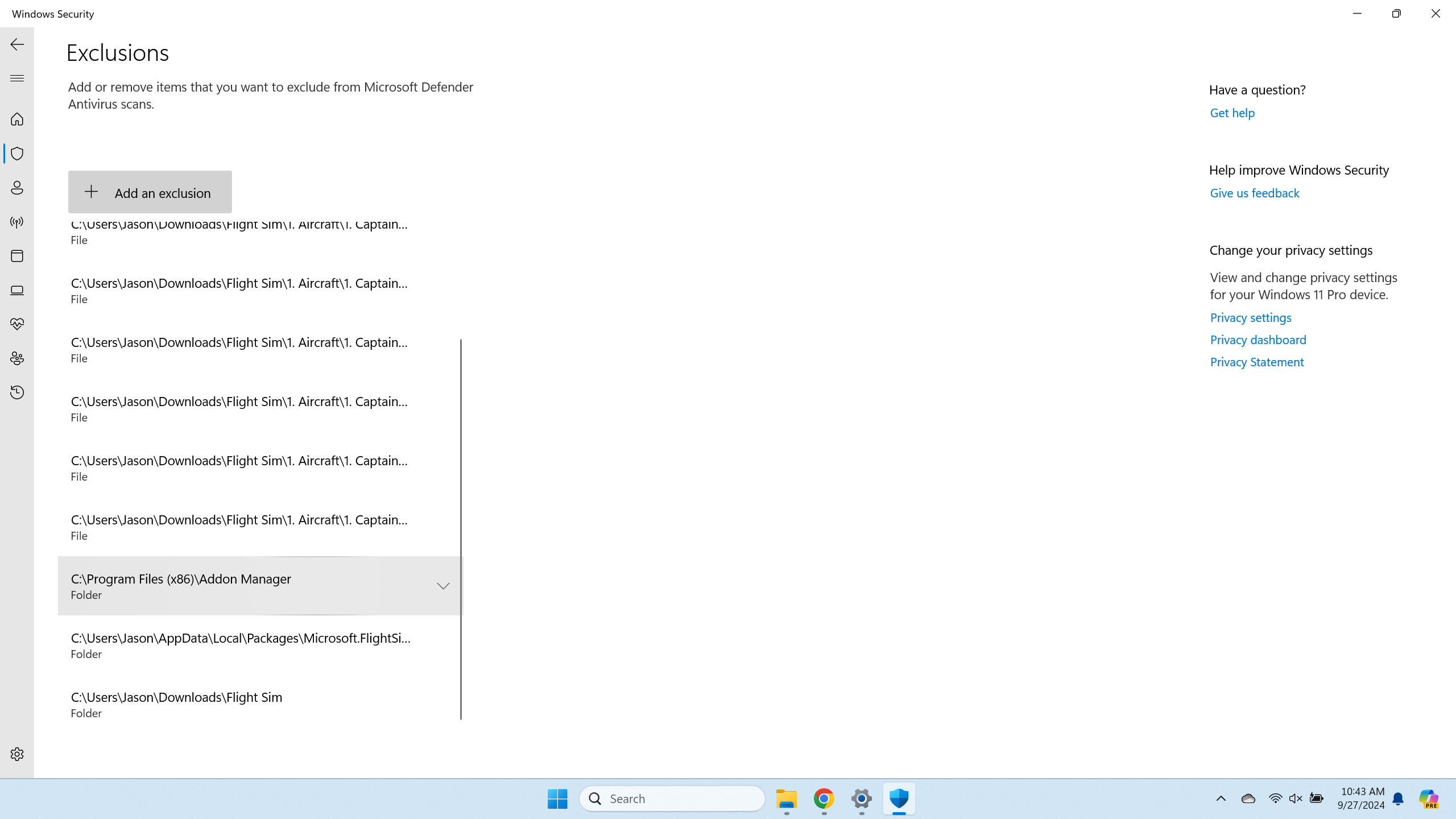
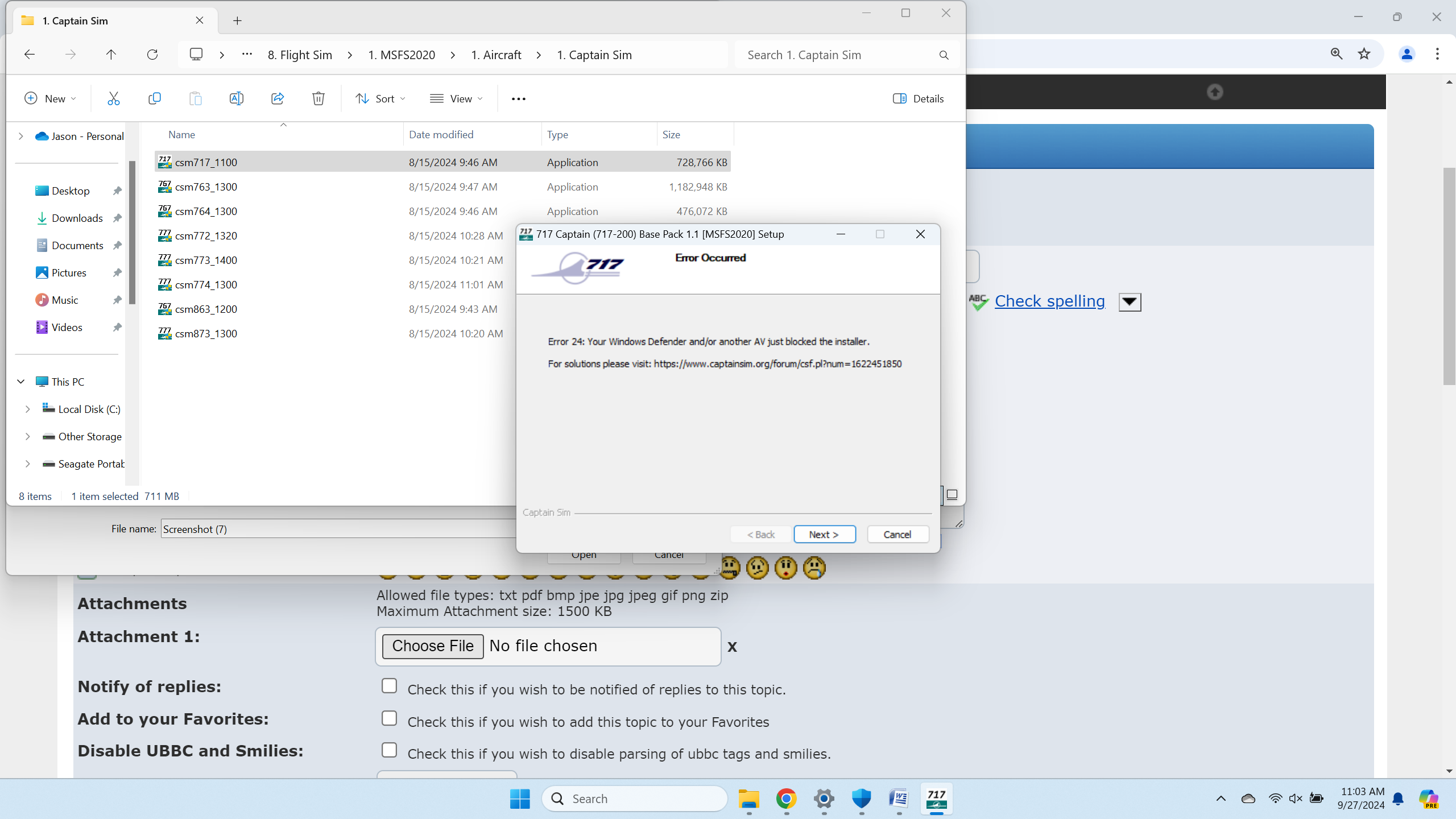
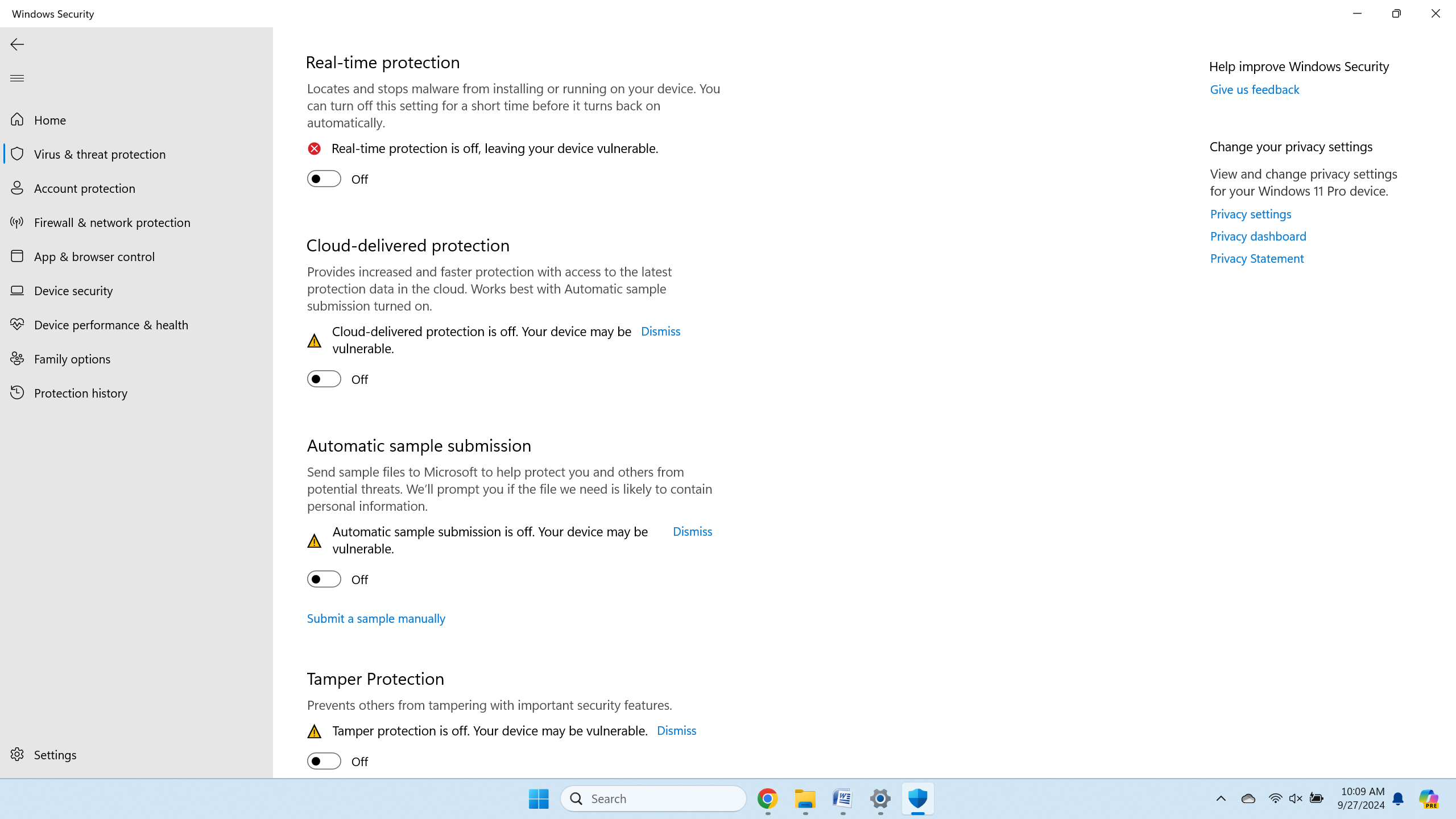
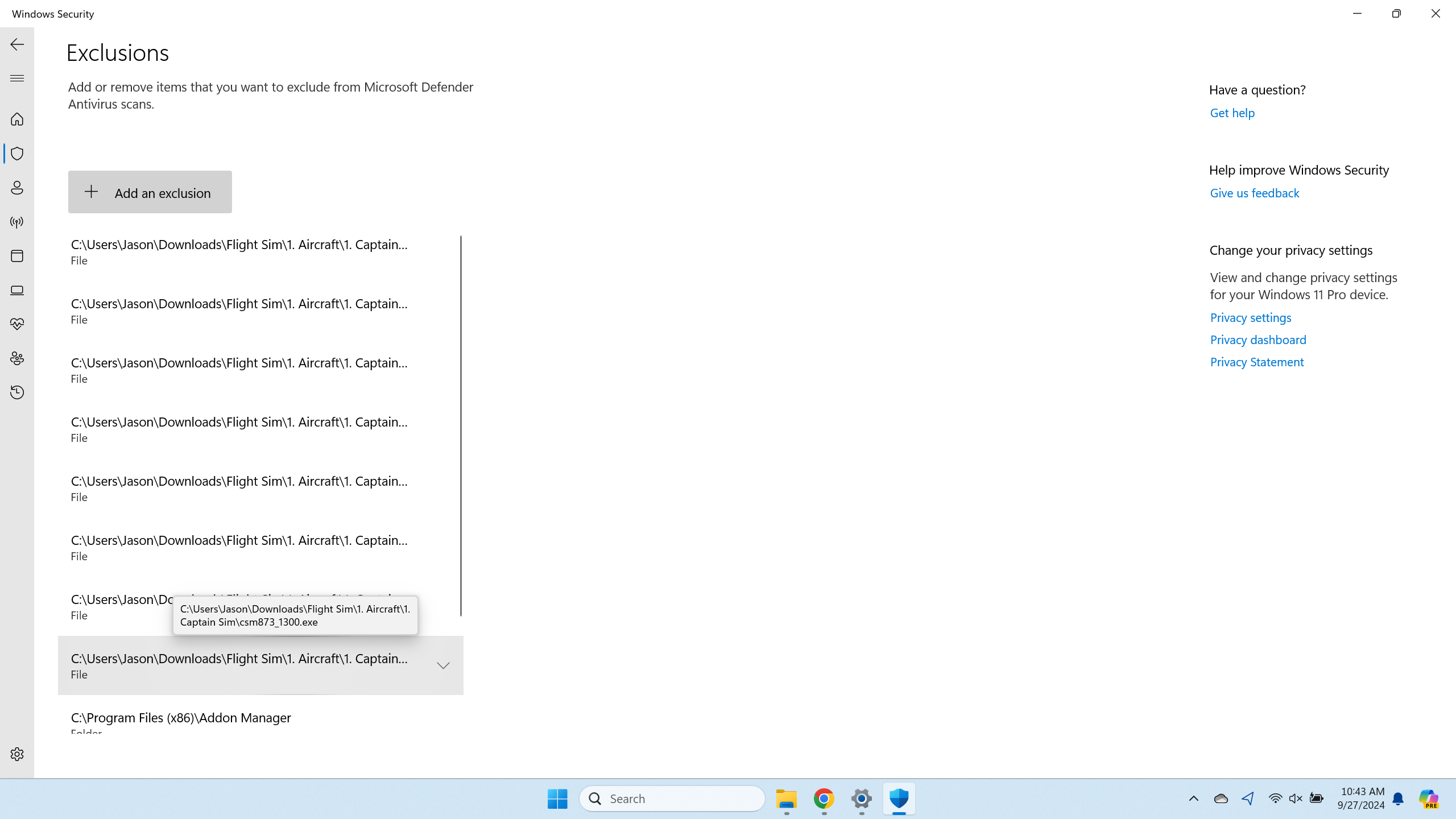
My AV / Windows Defender has been turned off. I have added my Downloads folder as an exclusion. I added my MSFS2020 community folder as an exclusion. I have also added each installer as an exclusion file. I restarted. I have tried to install the same installers that I added to the Exclusions list and am doing a "Run As Administration". I am still getting the "Error 24". I do not know what to do. I am not trying to be a jerk but I have Never had this kind of problem with ANY installer of ANY kind but I am having it with all of my CS installers (8). I am only led to believe that their is something with your installers. If we can figure this out great but I should not have to go thru such lengths to get it installed.

Thanks
Jason
Screenshot__1_.png ( 271 KB | 165 Downloads )
Title: Re: CS Installation
Post by jasona1972 on Sep 27th, 2024 at 4:05pm
Here are some more screen shots to show what I have done.
Screenshot__2__002.png ( 237 KB | 167 Downloads )

Title: Re: CS Installation
Post by jasona1972 on Sep 27th, 2024 at 4:06pm
#3
Screenshot__3_.png ( 228 KB | 171 Downloads )

Title: Re: CS Installation
Post by jasona1972 on Sep 27th, 2024 at 4:07pm
#4
Screenshot__8_.png ( 461 KB | 176 Downloads )

Title: Re: CS Installation
Post by Markoz on Sep 28th, 2024 at 2:31am
I see that in that last image, the error notification still says "Your Windows Defender and/or another AV just blocked the installer". I'm assuming you don't have another AV, so it appears that Windows Defender could still be blocking the installation (at least that's what the installer thinks).

I use Avast One Gold as my AV, and as I said above, all I do is close ALL the shields for downloading and installing Captain Sim products. Also. None of the flight sims are installed on the C: drive (mine are installed on my E: drive). I'm not getting an error 24 message when installing them, so the installers are working fine.

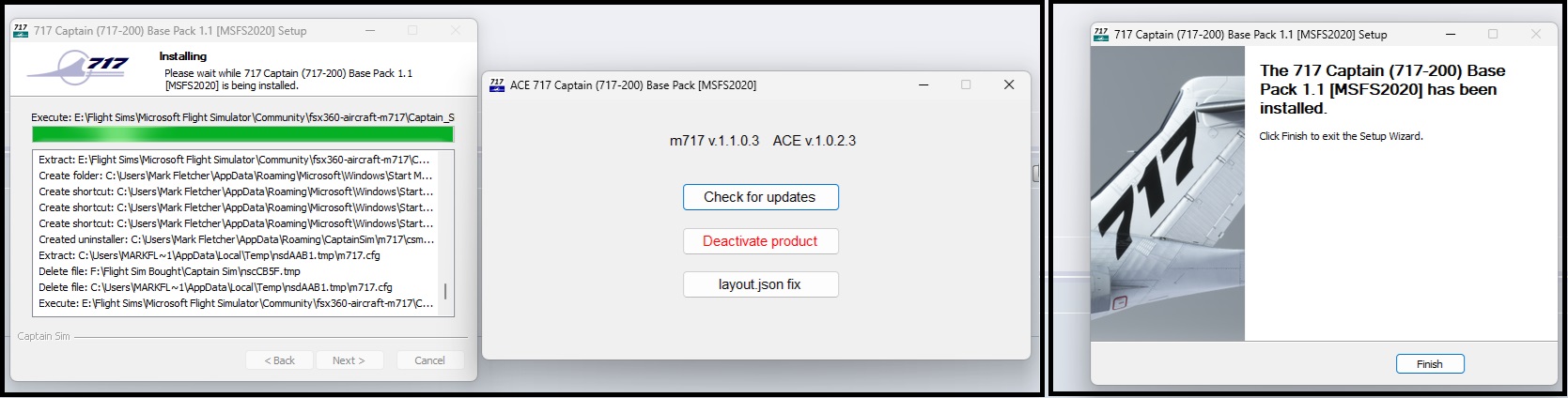
I just downloaded from Captain Sim (using the Extended Download Service) and installed the B717-200 v1.1 (csm717_1100.exe), and it installed without any errors (image attached).  :-/
717-200_install.jpg ( 183 KB | 169 Downloads )

Title: Re: CS Installation
Post by EY on Sep 28th, 2024 at 4:13pm
Hello Jason
We'll take a look at your situation soon and let you know

Sorry for the inconvenience

Title: Re: CS Installation
Post by EY on Sep 28th, 2024 at 7:48pm
Hello, Jason, please check your email

CAPTAIN SIM FORUM » Powered by YaBB 2.6.0!
YaBB Forum Software © 2000-2026. All Rights Reserved.