Post by chasgoulding on Sep 1st, 2024 at 8:04pm
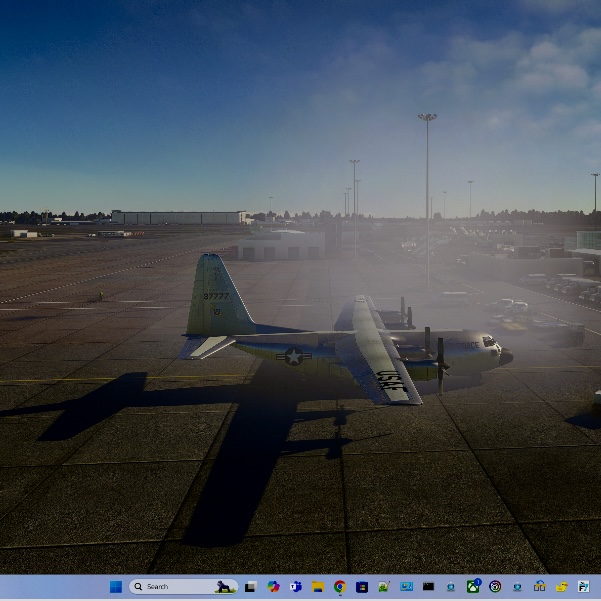
Picture attached
 IMG_1474.jpeg ( 116 KB | 173
Downloads )
IMG_1474.jpeg ( 116 KB | 173
Downloads )
IMG_1474.jpeg ( 116 KB | 173
Downloads )| CAPTAIN SIM FORUM | |
|
MSFS2020 >> C-130 Captain >> C-130E has a mist cloud round the plain.
https://www.captainsim.org/forum/csf.pl?num=1725220928 Message started by chasgoulding on Sep 1st, 2024 at 8:02pm |
|
|
Title: C-130E has a mist cloud round the plain. Post by chasgoulding on Sep 1st, 2024 at 8:02pm
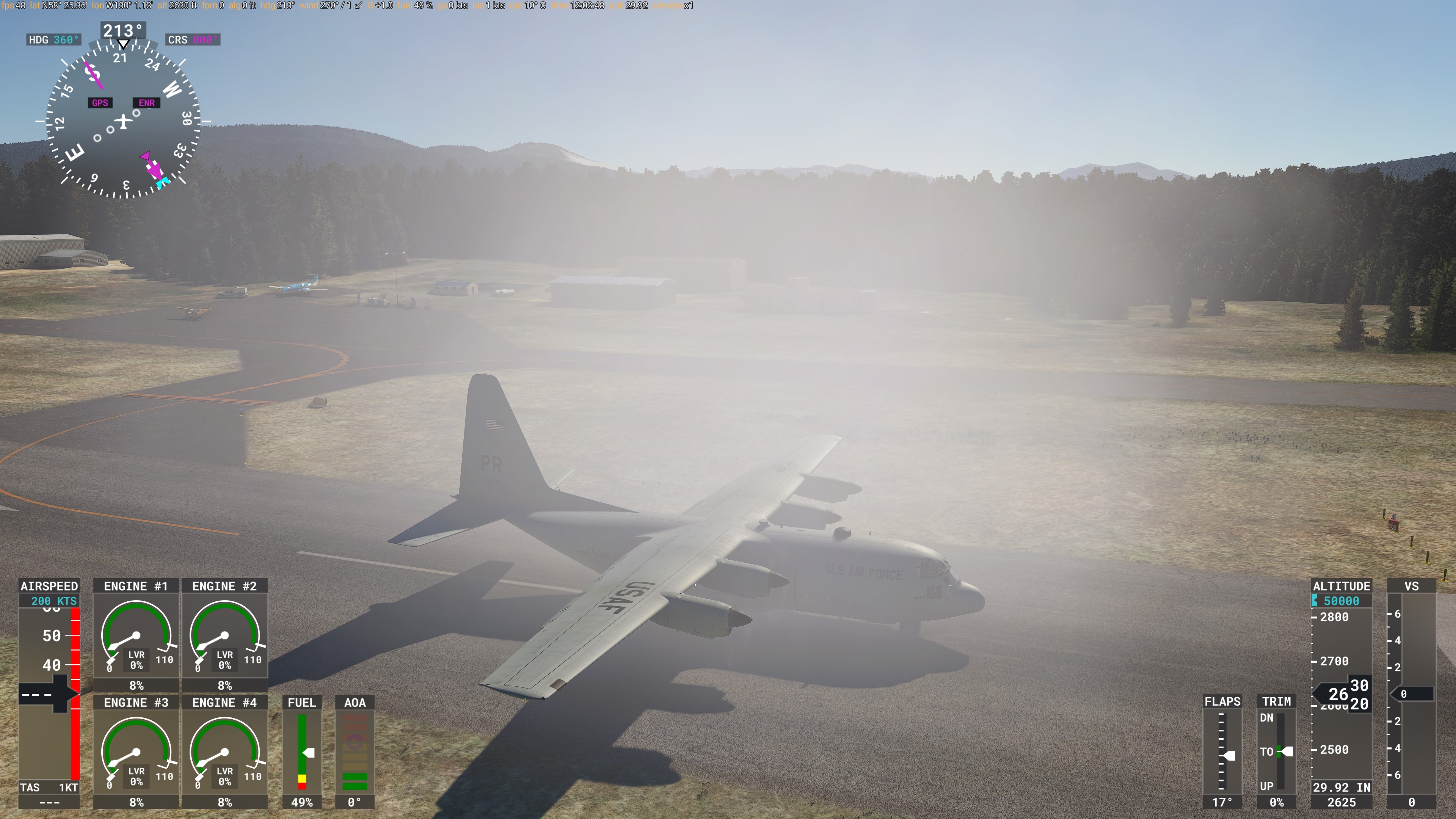
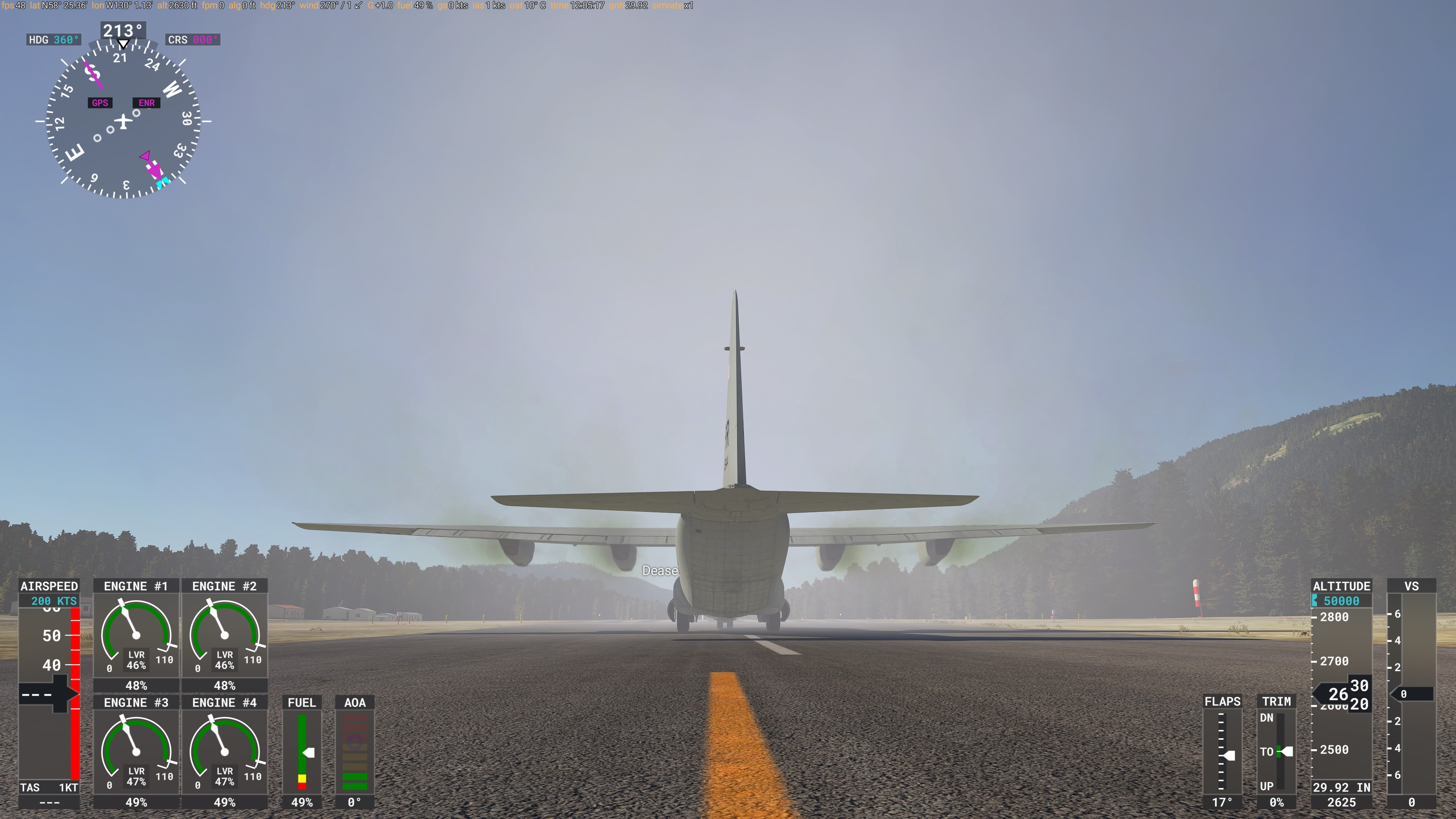
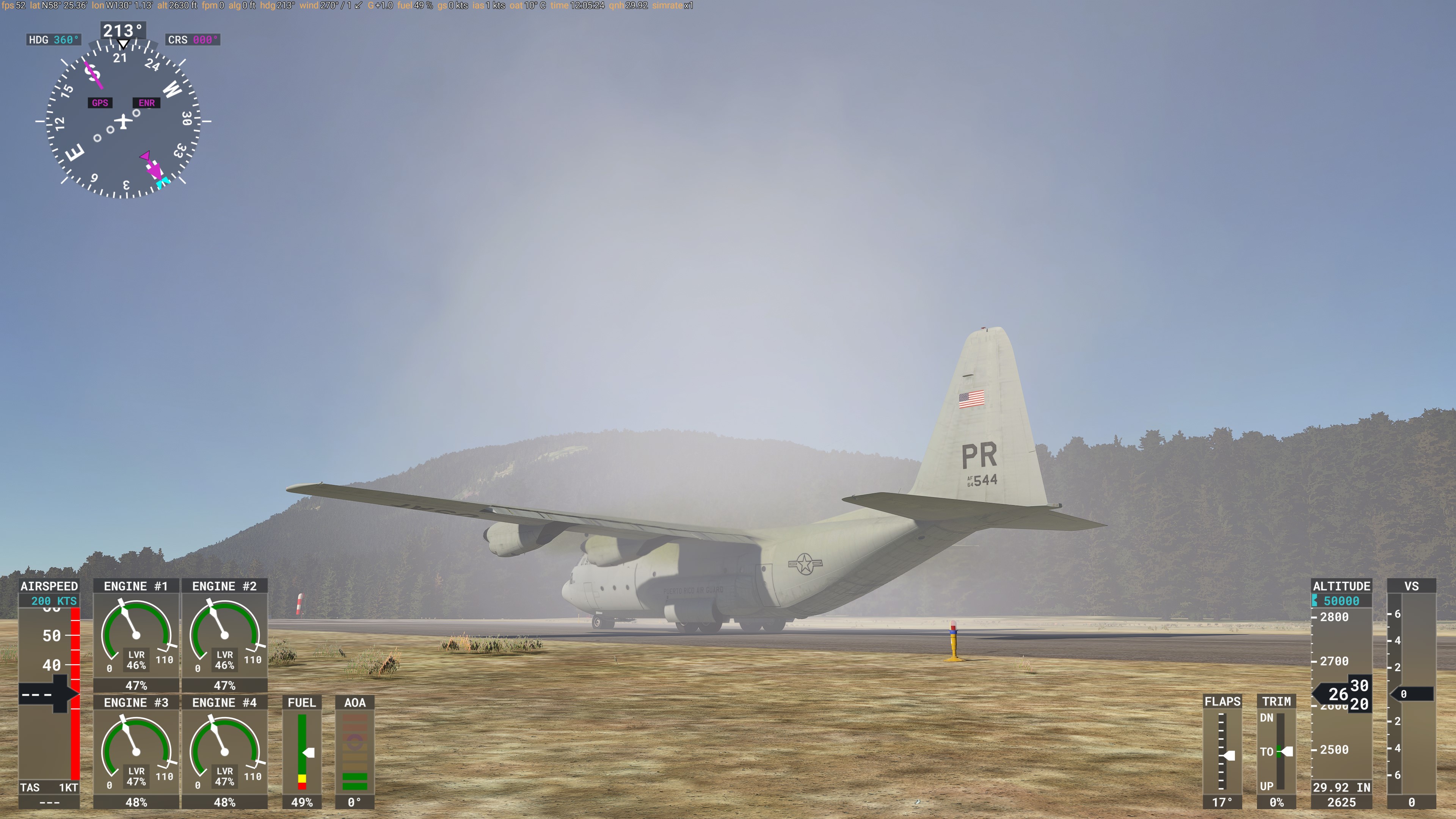
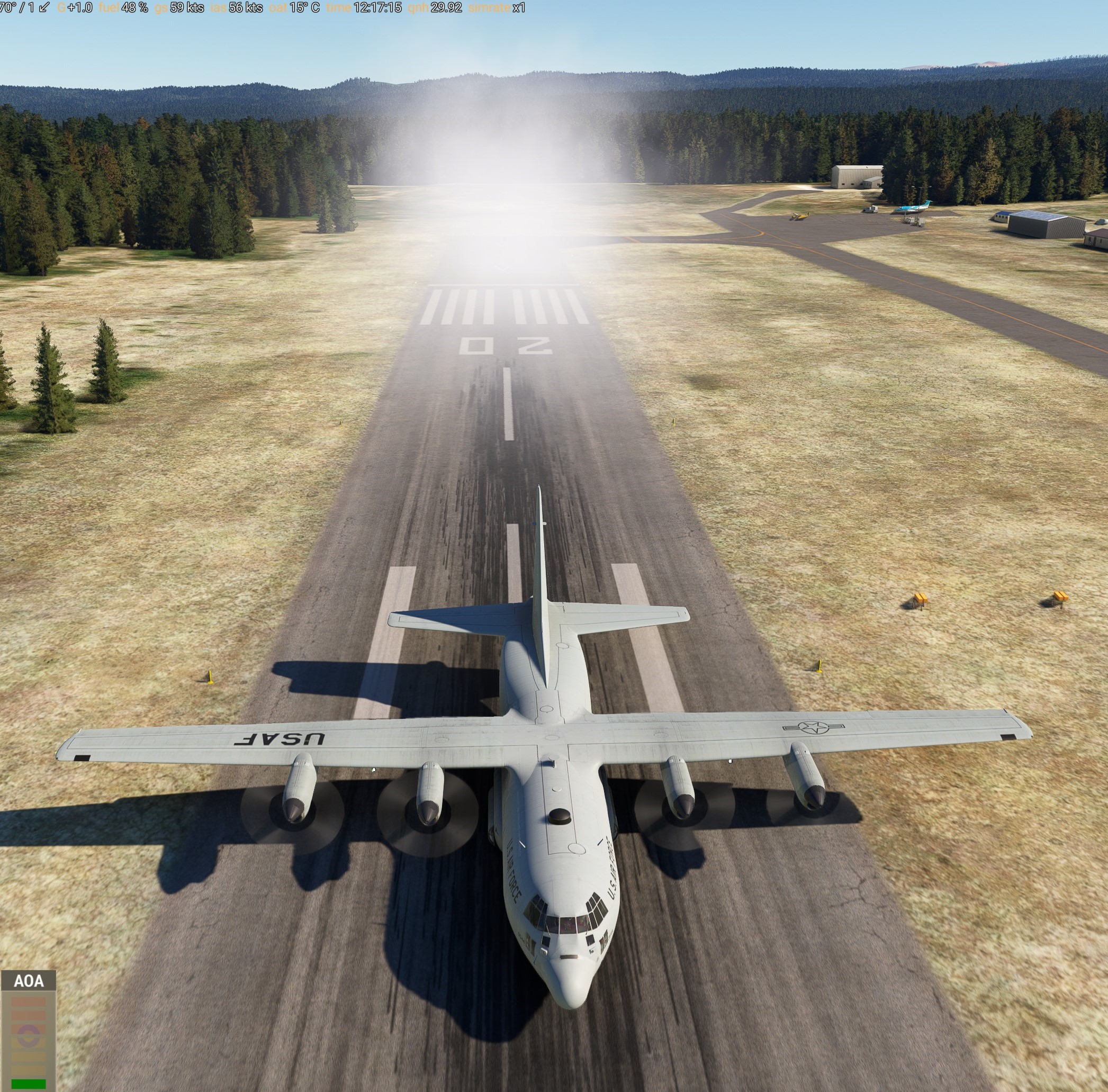
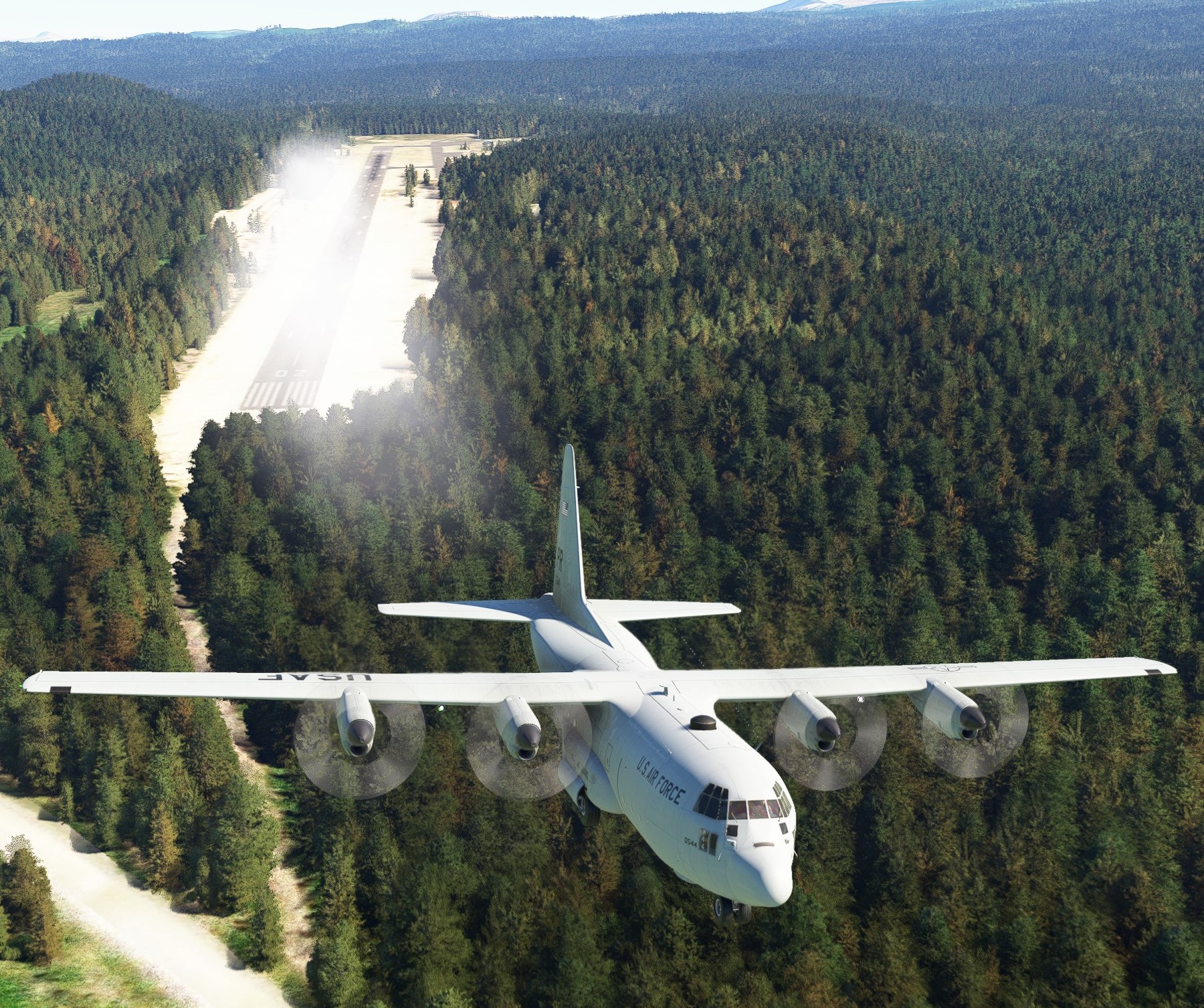
Hi, I bought today and loaded and there is a mist cloud around the plane. I have changed weather and graphics and re-installed and nothing fixes the problem. It does disappear at night at say an airport.
|
|
Title: Re: C-130E has a mist cloud round the plain. Post by chasgoulding on Sep 1st, 2024 at 8:04pm
Picture attached
IMG_1474.jpeg ( 116 KB | 173
Downloads ) |
|
Title: Re: the C-130E questions Post by chasgoulding on Sep 1st, 2024 at 12:25pm
I have just downloaded from the store the C-130. I have a problem that in the external view there is a fog round the plane. I have in-installed and re-installed and it’s still there. Even if I change weather. If I look through the front screens I can see it but not the side screens? I have checked other planes and different airports and weather schemes and nothing will get rid of it?
|
|
Title: Re: the C-130E questions Post by CammyMac on Sep 1st, 2024 at 12:48pm chasgoulding wrote on Sep 1st, 2024 at 12:25pm:
I came here looking for a solution to this too! |
|
Title: Re: the C-130E questions Post by chasgoulding on Sep 1st, 2024 at 4:11pm
I have noticed that when it’s dark it goes away.
|
|
Title: Re: C-130E has a mist cloud round the plain. Post by Captain Sim on Sep 2nd, 2024 at 9:15am
Thanks for reporting.
We need more info on each case: 1. Is that PC or Xbox? 2. Is the ENGINE SMOKE FX option off or on? 3. The engines seems to be off on both screenshots, - is the plane at least powered or just cold&dark? - is the issue persists when the plane is powered? - is the issue persists when the engines are running? 4. Are engine smoke fx work normally inflight? |
|
Title: Re: C-130E has a mist cloud round the plain. Post by Captain Sim on Sep 2nd, 2024 at 9:54am
Off-Topic replies have been moved to this Topic.
|
|
Title: Re: C-130E has a mist cloud round the plain. Post by chasgoulding on Sep 2nd, 2024 at 10:26am Captain Sim wrote on Sep 2nd, 2024 at 9:15am:
|
|
Title: Re: C-130E has a mist cloud round the plain. Post by chasgoulding on Sep 2nd, 2024 at 10:30am chasgoulding wrote on Sep 2nd, 2024 at 10:26am:
I can say that in flight it’s not there, and if I slew it remains where it was fading out then fades in again around plane when I stop. |
|
Title: Re: C-130E has a mist cloud round the plain. Post by chasgoulding on Sep 2nd, 2024 at 10:37am
FYI it seems to be some sort of environmental thing.
|
|
Title: Re: C-130E has a mist cloud round the plain. Post by CammyMac on Sep 2nd, 2024 at 12:53pm
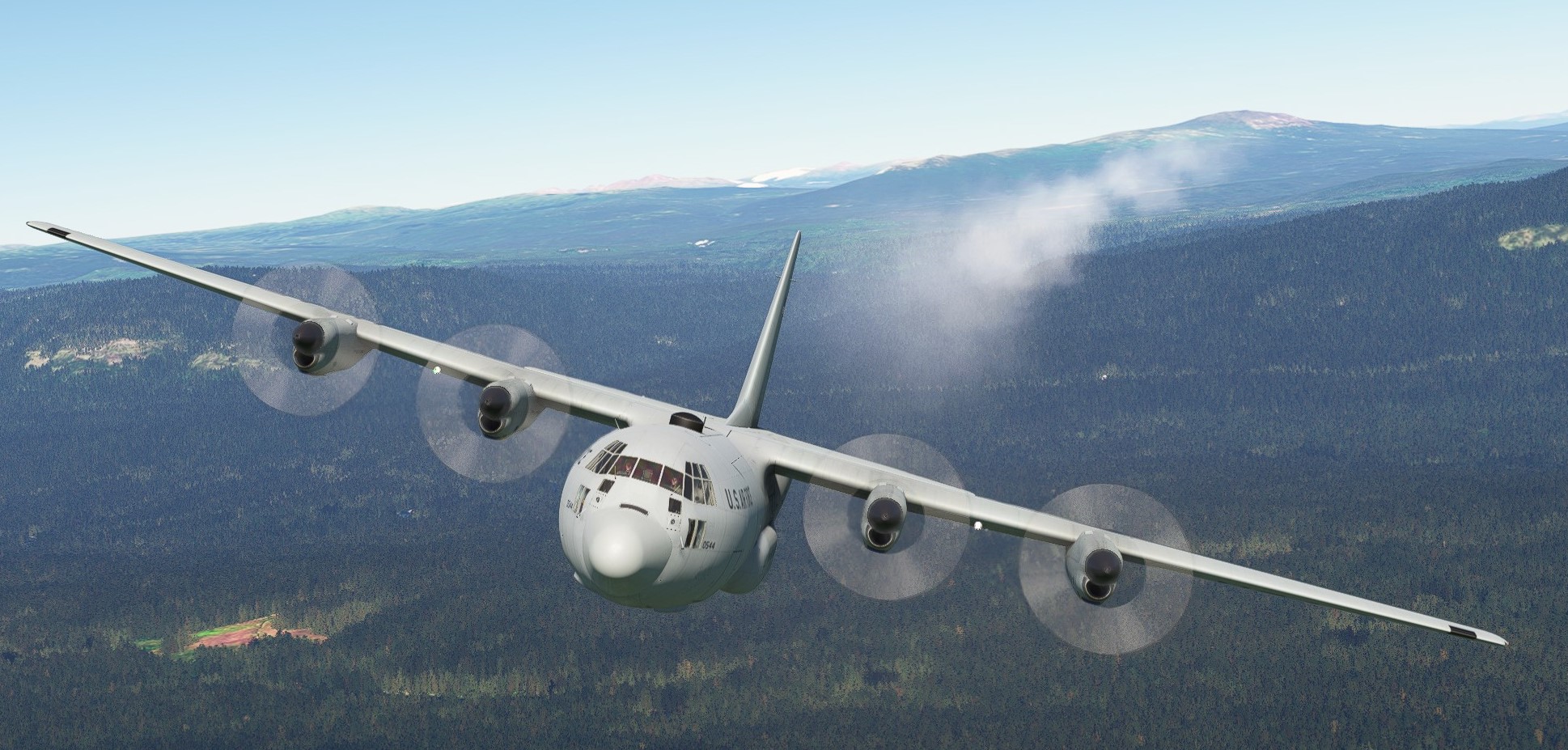
The fog cloud seems to follow the aircraft in motion.. you can see it trailing when taxiing and during takeoff. At speed in flight, it seems to be there but quite a way behind the aircraft, so less noticeable.
At first I thought it could be smoke fx, so switched that on. The smoke fx appeared in addition to the fog cloud, so it's not smoke fx. |
|
Title: Re: C-130E has a mist cloud round the plain. Post by chasgoulding on Sep 3rd, 2024 at 8:12am
Engine Smoke is smoking fine.
Are we making any progress on this problem? |
|
Title: Re: C-130E has a mist cloud round the plain. Post by Captain Sim on Sep 3rd, 2024 at 10:12am chasgoulding wrote on Sep 3rd, 2024 at 8:12am:
Yes, a prospective fix should be available for testing soon. |
|
Title: Re: C-130E has a mist cloud round the plain. Post by chasgoulding on Sep 3rd, 2024 at 12:40pm Captain Sim wrote on Sep 3rd, 2024 at 10:12am:
That s great news. Thank you. |
|
Title: Re: C-130E has a mist cloud round the plain. Post by Captain Sim on Sep 3rd, 2024 at 1:07pm
Please replace these 2 files in your SimObjects/Airplanes/CSC130E folder and let us know. Thanks
Outdated fix removed. |
|
Title: Re: C-130E has a mist cloud round the plain. Post by chasgoulding on Sep 3rd, 2024 at 3:13pm
Can I clarify to copy the two folder and put them into the same folders in simobjects?
|
|
Title: Re: C-130E has a mist cloud round the plain. Post by chasgoulding on Sep 3rd, 2024 at 3:34pm
Ok, I copied the folders to the relevant simobjects folders and replaced but still not working. Sorry.
|
|
Title: Re: C-130E has a mist cloud round the plain. Post by Captain Sim on Sep 3rd, 2024 at 4:03pm chasgoulding wrote on Sep 3rd, 2024 at 3:34pm:
Were both files prompted with windows pop-ups for overwriting? |
|
Title: Re: C-130E has a mist cloud round the plain. Post by chasgoulding on Sep 3rd, 2024 at 5:23pm
Yes, and I checked the time on the new ones and they are the same in the copied ones.
|
|
Title: Re: C-130E has a mist cloud round the plain. Post by Captain Sim on Sep 4th, 2024 at 8:22am
We cannot replicate the issue on our systems, so the fix is a blind fix.
The issue seems to be something specific to an user system/sumulator/add-ons setup. For now we have 2 people reporting the issue. Anyone else? Please provide: 1. Screenshot 2. PC or Xbox 3. You MSFS version (Steam or MS store) |
|
Title: Re: C-130E has a mist cloud round the plain. Post by chasgoulding on Sep 4th, 2024 at 10:32am
Ok, as a long shot I have renamed those two files to .old and the smoke has gone.
What affect might this have on the rest of the plane? If its just flairs I wouldn't use them anyway? :D |
|
Title: Re: C-130E has a mist cloud round the plain. Post by chasgoulding on Sep 4th, 2024 at 10:36am chasgoulding wrote on Sep 4th, 2024 at 10:32am:
I see half the Plane systems don't work. But at least we are in the right area. |
|
Title: Re: C-130E has a mist cloud round the plain. Post by chasgoulding on Sep 4th, 2024 at 10:40am
OK, I am going to rename the WASM file back to see what that does.
|
|
Title: Re: C-130E has a mist cloud round the plain. Post by chasgoulding on Sep 4th, 2024 at 10:49am
Ok its back after doing that. I am now going to remove everything from community folder
|
|
Title: Re: C-130E has a mist cloud round the plain. Post by chasgoulding on Sep 4th, 2024 at 11:15am
I have cleared out the community folder apart from 5 airports, another company CRJ and GSX Pro.
Still happening, to remove those I have to remove them from the system and don't feel it would help. |
|
Title: Re: C-130E has a mist cloud round the plain. Post by Beaver on Sep 4th, 2024 at 6:28pm
Hello ,
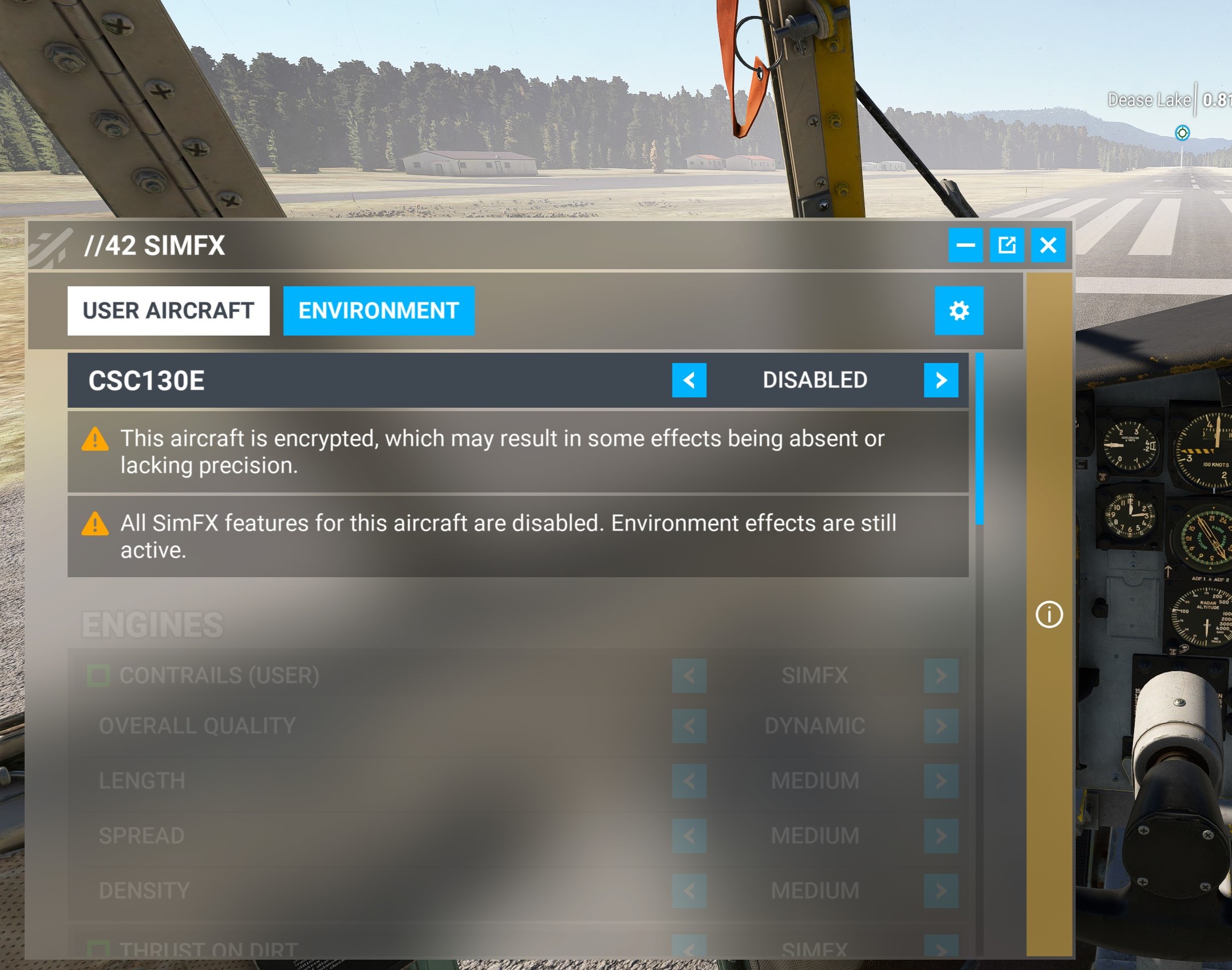
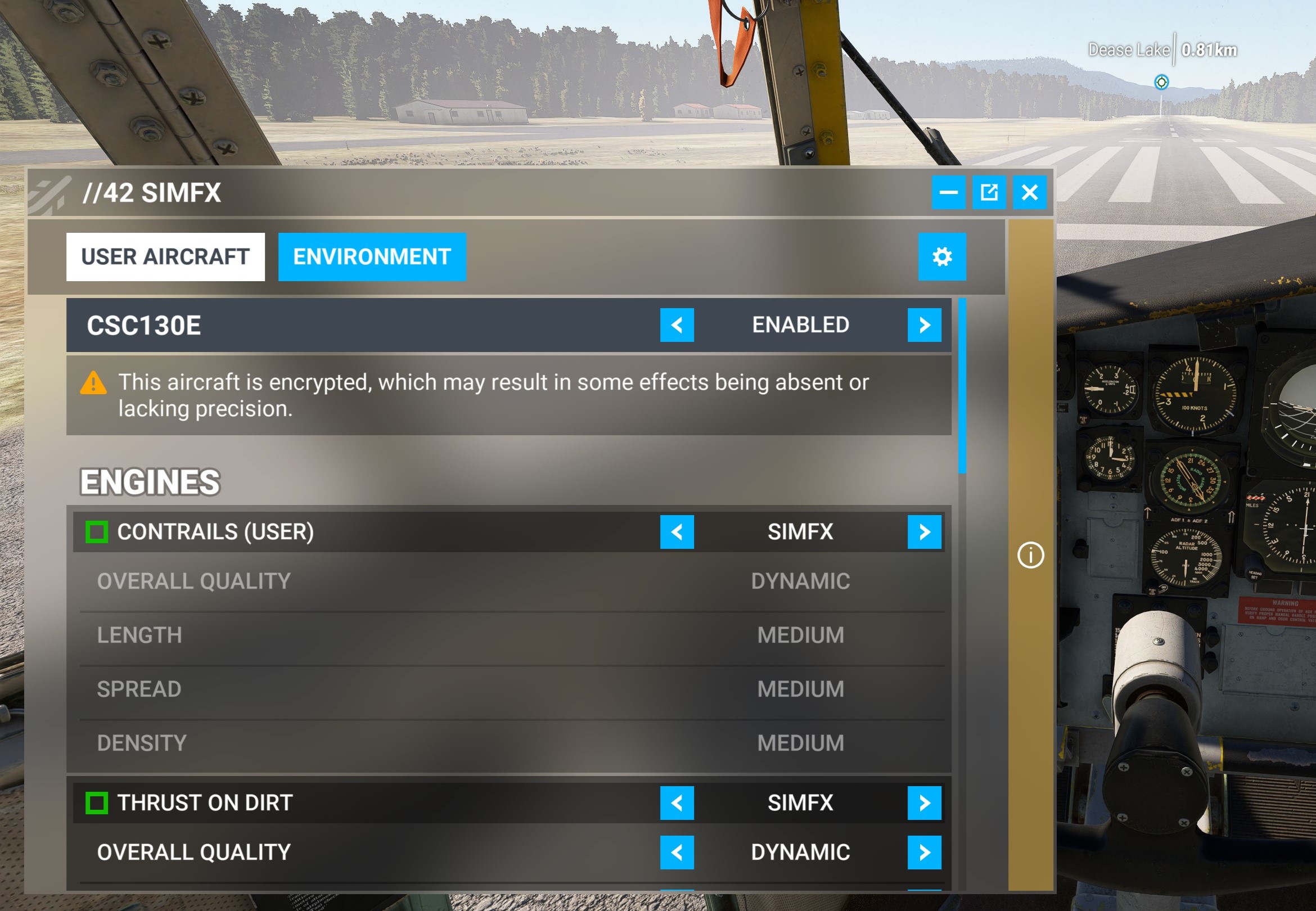
If you want more messages about this issue. I bought this yesterday at MS Marketplace. I use it on PC. A screenshot is not necessary because it shows the same effect like the screenshot above. Even the description of the behaviour of the mist is exactly the same. First I had an idea that there might be a conflict with sim.fx from Parallel//42. I tried to deactivate this function for the Herc but the failure appears again. Are there any user who don’t have this issue? Andreas |
|
Title: Re: C-130E has a mist cloud round the plain. Post by Beaver on Sep 4th, 2024 at 8:45pm
some shots! May be helpful?
 Microsoft_Flight_Simulator_Screenshot_2024_09_04_-_21_43_51_37.jpg ( 1302 KB | 135
Downloads ) Microsoft_Flight_Simulator_Screenshot_2024_09_04_-_21_43_51_37.jpg ( 1302 KB | 135
Downloads ) |
|
Title: Re: C-130E has a mist cloud round the plain. Post by Beaver on Sep 4th, 2024 at 8:47pm
nr 2
Microsoft_Flight_Simulator_Screenshot_2024_09_04_-_21_45_20_29.jpg ( 1019 KB | 148
Downloads ) |
|
Title: Re: C-130E has a mist cloud round the plain. Post by Beaver on Sep 4th, 2024 at 8:48pm
no3
Microsoft_Flight_Simulator_Screenshot_2024_09_04_-_21_45_27_40.jpg ( 1062 KB | 145
Downloads ) |
|
Title: Re: C-130E has a mist cloud round the plain. Post by Beaver on Sep 4th, 2024 at 8:54pm
nr 4
Screenshot__15_.jpg ( 1110 KB | 252
Downloads ) |
|
Title: Re: C-130E has a mist cloud round the plain. Post by Beaver on Sep 4th, 2024 at 8:55pm
nr 5
Screenshot__16_.jpg ( 1027 KB | 156
Downloads ) |
|
Title: Re: C-130E has a mist cloud round the plain. Post by Beaver on Sep 4th, 2024 at 8:55pm
nr 6
Screenshot__17_.jpg ( 447 KB | 148
Downloads ) |
|
Title: Re: C-130E has a mist cloud round the plain. Post by Beaver on Sep 4th, 2024 at 9:01pm
nr 7 SimFX
Screenshot__13_.jpg ( 470 KB | 154
Downloads ) |
|
Title: Re: C-130E has a mist cloud round the plain. Post by Beaver on Sep 4th, 2024 at 9:02pm
nr8 SimFX enabled, no changing
Screenshot__14_.jpg ( 545 KB | 156
Downloads ) |
|
Title: Re: C-130E has a mist cloud round the plain. Post by Beaver on Sep 4th, 2024 at 9:05pm
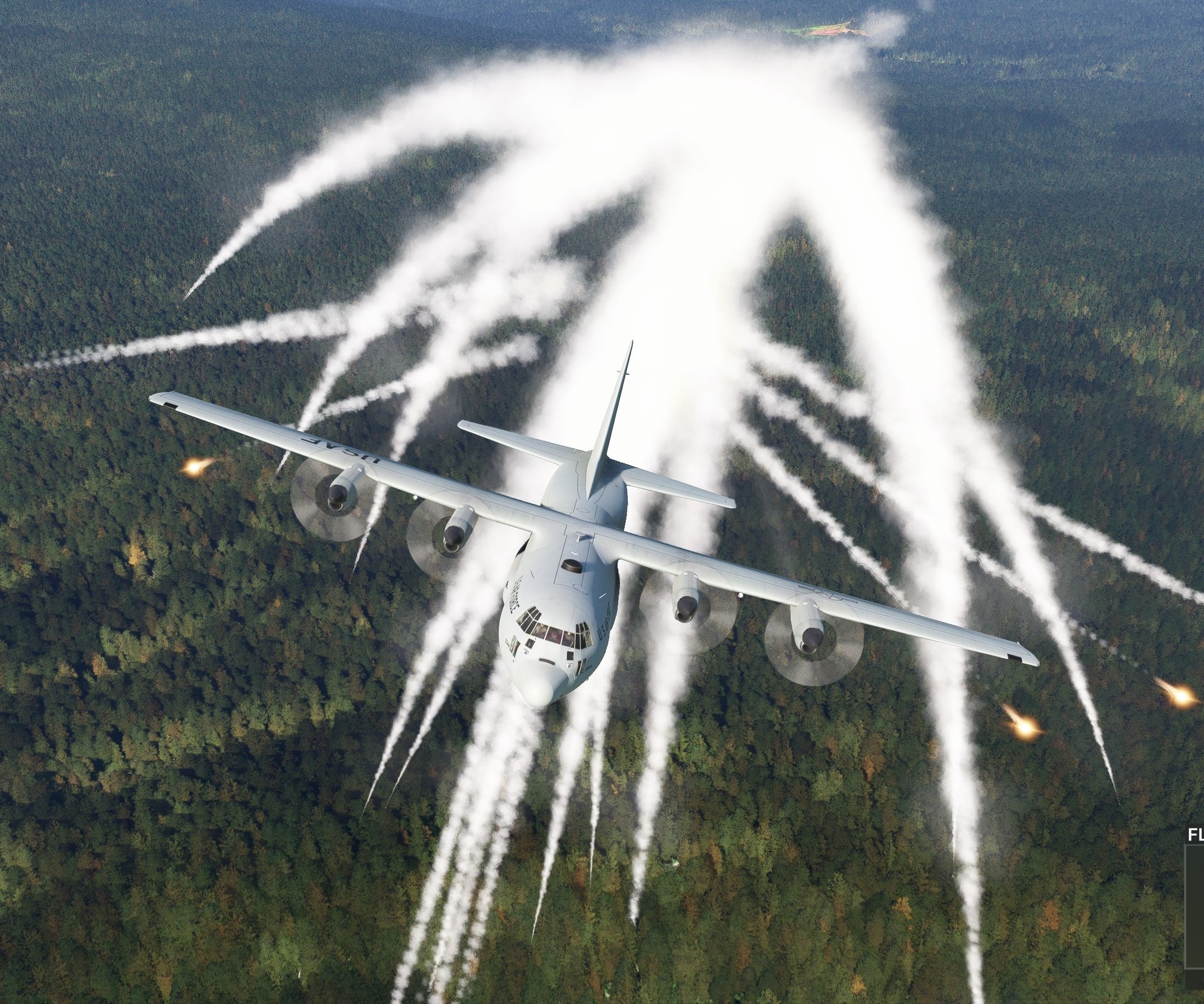
nr 9 Flares no influence to the mist.
Screenshot__18_.jpg ( 1263 KB | 152
Downloads ) |
|
Title: Re: C-130E has a mist cloud round the plain. Post by Captain Sim on Sep 5th, 2024 at 2:40pm
Fix attempt #2:
Please replace these 2 files in your SimObjects/Airplanes/CSC130E folder and let us know. Thanks  https://www.captainsim.org/forum/csf.pl?action=downloadfile;file=m134_fx_fix2.zip ( 360 KB | 275
Downloads ) https://www.captainsim.org/forum/csf.pl?action=downloadfile;file=m134_fx_fix2.zip ( 360 KB | 275
Downloads ) |
|
Title: Re: C-130E has a mist cloud round the plain. Post by Beaver on Sep 5th, 2024 at 8:38pm
There is no "m134_flare.xml" in the model folder to replace.
only m134_flare.bin , m134_flare.gltf and model.cfg . In the other folder "panel" the file Captain_Sim.m134.sys.wasm exists for replace. ??? Andreas |
|
Title: Re: C-130E has a mist cloud round the plain. Post by Captain Sim on Sep 6th, 2024 at 8:18am Beaver wrote on Sep 5th, 2024 at 8:38pm:
Right, because that file supposed to go to SimObjects\Airplanes\CSC130E_Flare\model\ Which is a separate simobject. |
|
Title: Re: C-130E has a mist cloud round the plain. Post by Beaver on Sep 6th, 2024 at 9:23am
Booh!
That’s what I mean! Should I add the file to the other 3 files in the model folder? That means in the model folder is no replacing of an existing file necessary, because the added m134_flare.xml is a new one in this folder. Is that right? I’m not a developer ! And actually that is not my job as a customer to do it. I want to help to get an product which is functional because it was paid. That is the difference to a freeware product. Has it not been tested by the MS marketplace? Thatch’s a problem that on MS marketplace you have no contact to the developer. So mostly the customers wait frustrated for an official Update there. I can’t imagine that only a few customers have this special problem with the mist. Andreas |
|
Title: Re: C-130E has a mist cloud round the plain. Post by chasgoulding on Sep 6th, 2024 at 10:22am
That has fixed the problem for me. thank you very much :D
|
|
Title: Re: C-130E has a mist cloud round the plain. Post by Captain Sim on Sep 6th, 2024 at 2:39pm chasgoulding wrote on Sep 6th, 2024 at 10:22am:
Great, thanks for sharing |
|
Title: Re: C-130E has a mist cloud round the plain. Post by Beaver on Sep 6th, 2024 at 7:11pm
Hallo again,
After installing the last fix, everything was alright. No Mist! The exhaust smoke and the flares are functional now. Thanks for your work! Please provide an update in the MS Marketplace for other customers. Thanks again, Andreas ;) |
|
Title: Re: C-130E has a mist cloud round the plain. Post by Captain Sim on Sep 7th, 2024 at 8:52am Beaver wrote on Sep 6th, 2024 at 7:11pm:
Thanks for testing! |
|
Title: Re: C-130E has a mist cloud round the plain. Post by Captain Sim on Aug 8th, 2025 at 9:20am
Off-Topic replies have been moved to this Topic.
|
|
CAPTAIN SIM FORUM » Powered by YaBB 2.6.0! YaBB Forum Software © 2000-2025. All Rights Reserved. |