CAPTAIN SIM FORUM
777 Captain (32-bit) >> 777 Captain (32bit) - General >> VNAV: Try this....
https://www.captainsim.org/forum/csf.pl?num=1374057602

Message started by FabioL on Jul 17th, 2013 at 10:40am

Title: VNAV: Try this....
Post by FabioL on Jul 17th, 2013 at 10:40am
Setup the CDU in the usual Boeing way, with your route and the SID's and STAR's at both ends, and then enter your performance parameters (it may be OK without the STAR, but this is how I have managed VNAV using the CDU at this time).

Configure the MCP correctly with RW heading and V2 + 20kts, plus the first altitude constraint in the windows.

Start your take-off roll, rotate as normal, and engage the AP during your climb out with LNAV and VNAV - the trick with the VNAV is to click the VNAV button but keep holding the mouse button down, then slide the cursor off the VNAV button, and only then let go of the mouse button.

Right, VNAV should be ON, and the CS777 should be on AP with LNAV & VNAV. VNAV may disconnect when you reach a constraint, so just re-engage it as above.

I had trouble with the rest of the climb, as the aircraft climbed far too slowly (500 ft/min), and the TOC was just a few waypoints before my descent. What I then tried was to cut the corner off the STAR (DCT next waypoint), and then enter your next step altitude or cruise level into the MCP.

I've tried this a few times with good success.

I'm asking others to see if this or something similar works, and for us to gradually get an idea of how to enable VNAV.

I believe VNAV works, but we have the figure out the tweaks to get it to work reliably for us.

Also, I use AS2012, and I had too much wing rocking, so I implemented the [custom autopilot] aircraft.cfg tweak with excellent results; change these values, but make backups first:
Custom Autopilot]
AP_Roll_speed=4
AP_Roll_window=7
AP_Roll_controlstep=1500

Finally, the aircraft hasn't changed its thrust rating from TO to CLB, but this can be done within the CDU thrust page by clicking on the LSK next to [arm] cruise. The CS777 will, however, change from CLB to CRZ. This does not stop the engines red lining, so look away, and remember that you won't be paying the maintenance bill.

Good luck, but please add your comments and ideas to this post.

Title: Re: VNAV: Try this....
Post by Free Flightdeckmag on Jul 17th, 2013 at 1:47pm
Same problems. Also use the better autopilot setting in the aircraft.cfg.
LNAV now working and flight stablized.

But:
VNAV choose CLB-Thrust at CDU makes no difference in displayed Thrust. Only CLB is shown, but no other changes, engines go to red.
If I use derated take off with a temperature, this temperature is also shown on EICAS, for Example CLB +38°C.

The Checklist do now allow to mark the Hydraulic systems on if all buttons are on. The Engine starts only with Strg E. What I have to do?

Climb ist to fast, climbrates very high.

Disconnecting the AP leads the airplane to a hard bank angle to the left.

The inch/hg knob can be used, but on PFD only inch are show. The letters change to hg, but the value is inch.

AT can only be used in Cruise, not at climb, because the climb rate is too high, the engines in red. :-[

Turning the Speed Knob on the MCP sometimes lead to a more than 330 speed input, directly from 150 during approach when I try to set 138 knots. Only change speed with mouse in speedwindow works correct. :-/

The speed shown everytime in KIAS when on high altitude, (changed before to MACH and starting descent with Flightlevel change.)

Entering a flighlevel like 30100 ft for flying in Chinese Airspace:
The airplane is flying on 30100 ft. But there is a T/C always fare away in front of the airplane. And the airplane wantīs to use CLB-Thrust.

Left ND shows the route, but not possible to see the route on the right ND.

Manual flying is good. :) Textures outside also very nice.

Wondering a little bit about the awards. Didnīt neither found
fs-flightcrew
or FlightCheck
The ratings of them are Gold and "Sehr gut", so please let me know where I can find this networks. ::)

You can also read my german preview of your airplane at german Vatsim Forums Of course, it is not a good rating like "Sehr gut" ;)


Maybe we will make a report of it in our next issue. So, in the next 3 months you have time to improve the product.

Best Regards

Title: Re: VNAV: Try this....
Post by FabioL on Jul 17th, 2013 at 2:25pm
I went through my setup again, and this time found a disco, which, when fixed, allowed VNAV to work again.

It seems hit and miss though, but I'm getting there.

I've completed three very nearly perfect flights in the CS777 today, and I think it comes down to very careful CDU setup and route planning. Make sure the waypoints and their speeds / altitudes are correct, and then be vigilant with the VNAV button, as this tends to disconnect during the climb as and when waypoints are reached.

I'm not saying that it's more difficult to setup than any other aircraft, but I double check my flight plans and entries, and I don't rely on on SID's / STAR's in case there's a clash, alt discrepancy etc.

I'm just beginning to really enjoy this aircraft.

Title: Re: VNAV: Try this....
Post by Markoz on Jul 18th, 2013 at 2:49am
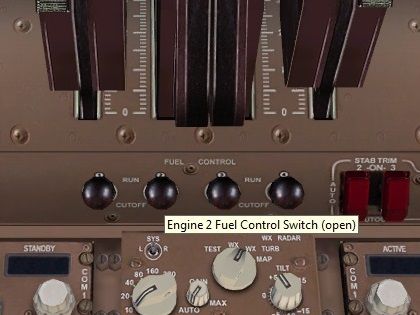
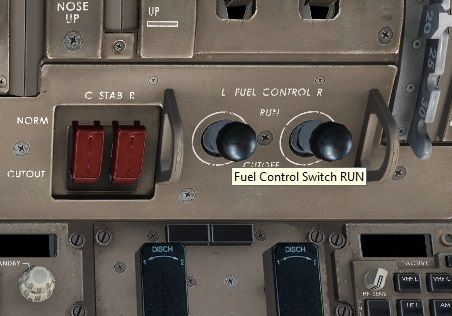
From what I can figure out, the Fuel Control Switches in the 777 are custom coded.
This means that they DO NOT turn the fuel ON (in other words allow the fuel to flow to the engines), even though they are set to RUN, IF your default flight has the Mixture Lever set to Cut Off (0%), as mine is set. So to get the fuel to flow through to the engines, I have to press CTRL+SHIFT+F4 every time I want to start the 777. IF they were set to the default FSX animation tag (lever_fuel_cutoff0 and lever_fuel_cutoff1), I think that when you clicked on the switches, they would work like they should. :-/

Title: Re: VNAV: Try this....
Post by FabioL on Jul 18th, 2013 at 10:09pm
Sorry Markoz, don't follow your post (re. fuel flow).
What I did discover is that engine start should auto-enable pitot heat, but it doesn't (CS said they'd try to implement this in time for the last update), and as there is no pitot heat switch, my Saitek switch panel came in very handy for the icing conditions that I encountered (which took out my airspeed and affected VNAV).
However, I'd prefer pitot heat to be correctly modelled.

Title: Re: VNAV: Try this....
Post by Markoz on Jul 19th, 2013 at 3:43am
This is what I meant:


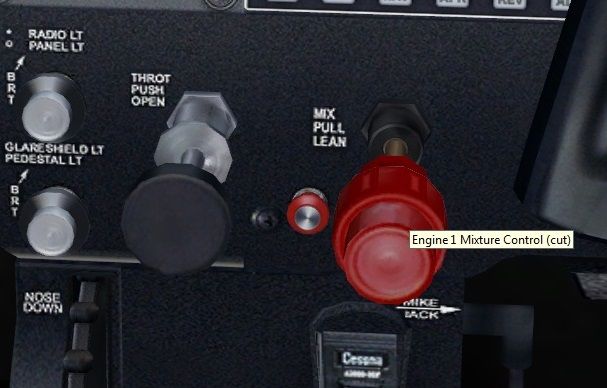
The Mixture Controls on my default FSX flight (default MSFS C172 cold-n-dark) are set to CUT (0%).


The default MSFS b747_400 are set to OPEN. So when I start the engines, they will run as soon as they reach the point where they start (I assume it's N2 20%, but there is no N2 display on the display). IF I set them to closed, then back to open, then press the engine start switches, the engines will start.


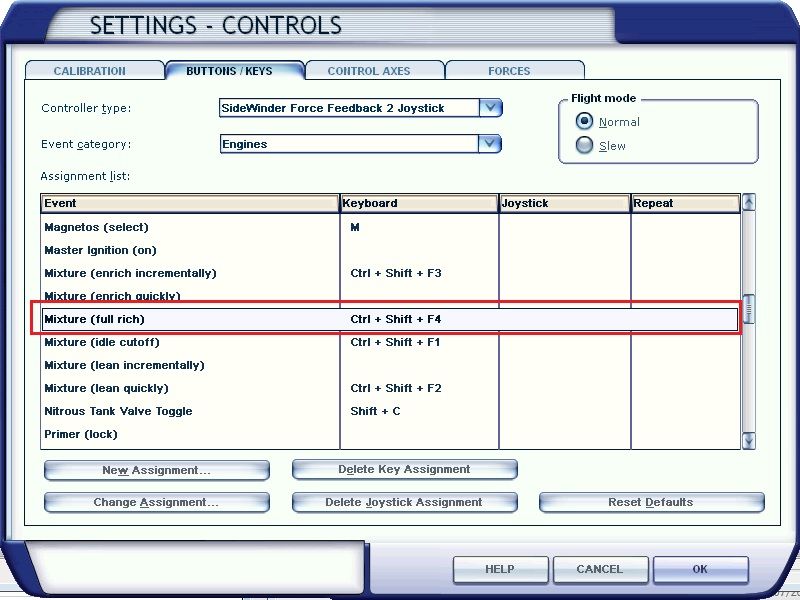
The Captain Sim 777 Fuel Control Switches are set to RUN (that should be the same as OPEN shouldn't it?), but when I try to start the engines and the N2 reaches 20%, they don't start. Even if I close them, then open them, then press the Engine Start switches, they still don't start. To get them started, I have to press CTRL+SHIFT+F4, which is the default keyboard control for Mixture (full rich). This means that the animation tag (which controls the way the switches work and what they do in FSX) is different to the default MSFS b747_400. So I'm assuming that Captain Sim must be using a custom code that does not override the Mixture (idle cutoff) setting from my default flight, so the 777 engines do not start without using the keyboard command to move the Mixture lever to full rich (100%). If I change the Mixture (idle cutoff) to Mixture (full rich) in my default flight, then the engines will start. In all my other Captain Sim aircraft, including the 757 and 767, which have the same sort of Fuel Control Switches, they do override the settings in my default flight!


Keyboard command for Mixture (full rich)
Title: Re: VNAV: Try this....
Post by FabioL on Jul 19th, 2013 at 7:00am
That's interesting.

As part of my cockpit prep, I make sure that my Saitek mixture lever is full rich, then I make sure the fuel start levers are off. Then all will be well with engine start.

Does anyone else have issues with probe icing and anti-icing systems?

I was trying to figure out VNAV in this thread.


Title: Re: VNAV: Try this....
Post by KristianN on Jul 19th, 2013 at 8:05am
Good post Fabio. I have been doing some testing as well.
However, the biggest issue for me remains the route drawing on the ND.

Furthermore, I end up in cruise with EAI showing on the upper engine display.

CAPTAIN SIM FORUM » Powered by YaBB 2.6.0!
YaBB Forum Software © 2000-2025. All Rights Reserved.